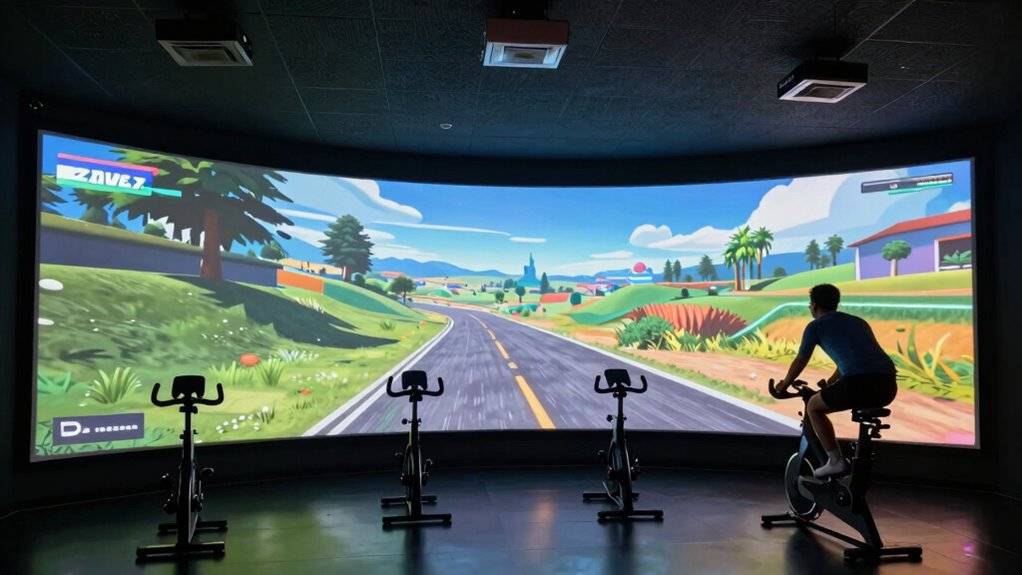

For a Zwift setup, a projector needs to make route details easy to read from the bike, fit the available wall distance, and work around indoor lighting. My strongest all-around pick is the ELEPHAS Smart 4K, which pairs native 1080p with automatic focus and a compact body. The XGIMI Vibe One is the easiest choice if an included screen and a built-in stand help you get started, while the rotating 1080p mini projector is a flexible option when positioning is awkward.

Get sports gear delivered free with Prime
- Fast, free delivery on millions of items
- Prime Video, Amazon Music and more included
- Member-only deals all year
The main tradeoff is image quality versus room conditions: all five can accept or display high-resolution content in some form, but several are native 720p and their listed brightness is limited for a room with lights on. I rank these by how practical they look for projecting Zwift from a stationary bike—not by their streaming features or claims of 4K input support. Check throw distance, usable brightness, and how you will connect your Zwift device before choosing.
Complete the kit


Key Takeaways
- ELEPHAS Smart 4K ranks first for its native 1080p resolution, automatic focus, and stated 800-lumen brightness, though it still needs a dim room for a strong image.
- XGIMI Vibe One includes an 80-inch screen and a built-in stand, which reduces setup guesswork, but its 250-lumen brightness calls for controlled lighting.
- AKIYO 2026 is the easiest model to reposition at 360 grams, but its native resolution is 1280 x 720 rather than 1080p.
- The 300-ANSI-lumen rotating projector offers native 1080p and electric focus; its 210-degree adjustment is useful for unusual placement, not a substitute for brighter output.
- HY300Pro is the lightest listed option at 0.77 pounds, but its native 720p resolution makes it a better fit for casual Zwift viewing than fine screen detail.
| ELEPHAS Smart 4K Projector with WiFi and Bluetooth for Indoor and Outdoor Use |  | Best Overall for Zwift | Native resolution: 1920 x 1080 | Maximum resolution: 3840 x 2160 input support | Brightness: 800 lm | VIEW ON AMAZON | See Our Full Breakdown |
| XGIMI Vibe One Mini Portable Projector with 80-Inch Screen and 4K Input Support |  | Best for Beginners | Native resolution: 1920 x 1080 | 4K: Input support; listed display maximum is 1920 x 1080 | Brightness: 250 lm | VIEW ON AMAZON | See Our Full Breakdown |
| Mini Projector with WiFi and Bluetooth, AKIYO 2026 Upgraded 1080P |  | Best Compact Option | Native resolution: 1280 x 720 | Supported video: Full HD 1080p | Brightness: 200 lumens | VIEW ON AMAZON | See Our Full Breakdown |
| Mini Projector with Wi-Fi and Bluetooth, Built-in Apps, Movie Projector |  | Best Native 1080p for Flexible Angles | Resolution: Native 1080p; 4K compatible | Brightness: 300 ANSI lumens | Screen size: 50–200 inches listed | VIEW ON AMAZON | See Our Full Breakdown |
| Mini Projector with Wi-Fi and Bluetooth, Portable 4K Support, Android 14, Auto Keystone, HY300Pro |  | Best for a Tiny Training Space | Native resolution: 1280 x 720 | Maximum resolution: 3840 x 2160 input support | Brightness: 200 lumens | VIEW ON AMAZON | See Our Full Breakdown |
| projectors for zwift | Brightness | Connectivity | Native resolution | Maximum image size |
|---|---|---|---|---|
| ELEPHAS Smart 4K Projector wit | 800 lm | HDMI, USB, Bluetooth 5.4, Wi-Fi 6, 3.5mm | 1920 x 1080 | 200 inches |
| XGIMI Vibe One Mini Portable P | 250 lm | HDMI, USB, Wi-Fi, Bluetooth | 1920 x 1080 | 150 inches |
| Mini Projector with WiFi and B | 200 lumens | HDMI, USB, 3.5mm, dual-band Wi-Fi, Bluetooth 5.2 | 1280 x 720 | 300 inches listed |
| Mini Projector with Wi-Fi and | 300 ANSI lumens | HDMI, USB, audio, Wi-Fi, Bluetooth | — | — |
| Mini Projector with Wi-Fi and | 200 lumens | HDMI, USB, Wi-Fi, Bluetooth | 1280 x 720 | 135 inches |
More Details on Our Top Picks
ELEPHAS Smart 4K Projector with WiFi and Bluetooth for Indoor and Outdoor Use
The ELEPHAS takes the top spot because it combines native 1080p with the strongest stated brightness figure in this lineup, at 800 lm. That makes it a more convincing choice for displaying Zwift’s riders, route, and interface than the two native-720p models, especially if your projected image is fairly large. Its automatic focus and obstacle avoidance may also help when a bike, fan, or other training-room gear complicates placement.
Compared with the XGIMI Vibe One, ELEPHAS offers a higher stated brightness figure and more mounting options, while XGIMI has the practical advantage of an included screen. ELEPHAS is also listed at 2.4 pounds and supports ceiling or tabletop mounting, so it is portable, but not as featherweight as the AKIYO or HY300Pro. Its listed maximum throw distance is only 1.18 meters, a point to check carefully: that may constrain where it can sit relative to your screen, and the supplied information does not give a screen-size chart by distance.
For Zwift, I would treat its Wi-Fi, Bluetooth, and built-in apps as secondary benefits. A direct HDMI connection from a laptop or compatible device is often the simpler route for displaying the actual ride. The advertised 4K capability is input support; the native resolution remains 1920 x 1080. I would skip this pick if your room is bright, you need a long throw, or you want a projector with a clearly stated battery option.
Pros:- Native 1920 x 1080 resolution for clearer interface details than native-720p options.
- Highest stated brightness figure in this group at 800 lm.
- Auto focus and obstacle avoidance can simplify placement around training equipment.
- Ceiling and tabletop mounting support adds setup flexibility.
Cons:- The listed 1.18-meter maximum throw distance may not suit every room layout.
- The 800-lumen figure is given without an ANSI designation, so direct brightness comparisons are uncertain.
- Battery life is not specified; plan around a power outlet.
Best for: Riders who want native 1080p, useful setup automation, and a brighter listed output for a dedicated training room.
Not ideal for: Buyers with a long throw distance, a bright room, or a need for a verified battery-powered setup.
- Native resolution:1920 x 1080
- Maximum resolution:3840 x 2160 input support
- Brightness:800 lm
- Maximum image size:200 inches
- Maximum throw distance:1.18 meters listed
- Weight:2.4 lb
- Connectivity:HDMI, USB, Bluetooth 5.4, Wi-Fi 6, 3.5mm
- Mounting:Ceiling or tabletop
Our verdict“I would choose ELEPHAS for a Zwift room where native 1080p, setup automation, and flexible mounting matter more than a long throw.”
XGIMI Vibe One Mini Portable Projector with 80-Inch Screen and 4K Input Support
The XGIMI Vibe One is the most straightforward starter package here because it includes an 80-inch foldable screen, a built-in stand, and automatic focus. Those details can save a new Zwift setup from turning into a separate hunt for a screen and a way to aim the image. Its native 1080p resolution also puts it ahead of AKIYO and HY300Pro for crispness at a similar viewing distance.
That convenience comes with a clear compromise: the listed brightness is just 250 lumens. I would plan to ride with curtains closed and room lights low, rather than expect a vivid image in daylight. ELEPHAS has a higher stated brightness figure and more mounting options, while XGIMI answers with a supplied screen and a portable, tabletop-friendly design. Its 2.7-to-5-meter throw range is useful for placement planning, although the minimum distance may be awkward in a compact room.
For Zwift, the included screen is more relevant than the built-in Netflix, YouTube, Prime Video, or JBL speakers. The projector’s native 1920 x 1080 display is the figure to focus on; 4K input support does not make its panel native 4K. Choose this model if you value a relatively complete starter setup and expect a darkened room. Skip it if you need high output with lights on, or if you want to project closer than its listed minimum distance.
Pros:- Native 1920 x 1080 display resolution.
- Includes an 80-inch foldable screen and built-in stand.
- Automatic focus helps reduce manual setup work.
- Portable design with HDMI, USB, Wi-Fi, and Bluetooth connectivity.
Cons:- Listed 250-lumen brightness is a limitation outside a darkened room.
- Listed minimum throw distance is 2.7 meters, which may be too far for a small space.
- Requires external power during use.
Best for: New Zwift riders who want a native-1080p projector with a supplied screen and simple tabletop setup.
Not ideal for: Riders who train in a bright room, need a close-range image, or already own a screen and want more flexibility.
- Native resolution:1920 x 1080
- 4K:Input support; listed display maximum is 1920 x 1080
- Brightness:250 lm
- Contrast ratio:1500:1
- Throw distance:2.7–5 meters
- Maximum image size:150 inches
- Speakers:Dual 3W JBL-tuned speakers
- Connectivity:HDMI, USB, Wi-Fi, Bluetooth
Our verdict“I would pick the Vibe One when the included screen and easy setup outweigh its low brightness and longer minimum throw.”
Mini Projector with WiFi and Bluetooth, AKIYO 2026 Upgraded 1080P
At 360 grams, the AKIYO is the easiest projector here to move between rooms or pack away after a ride. Its 360-degree rotating stand gives it useful aiming flexibility, and automatic vertical keystone correction can help tidy the image when a tabletop position is not perfectly aligned. Those practical adjustments matter in a home gym where the trainer, bike, and screen may dictate where the projector can go.
The key limitation is resolution: despite the product name and support for Full HD video, the listed native resolution is 1280 x 720. That puts it below ELEPHAS, XGIMI, and the 300-ANSI-lumen model for displaying small Zwift interface text. The 200-lumen listing also points to a dark-room use case. If crisp text or a larger, brighter image is the priority, I would look first at ELEPHAS; if you want an included screen, the XGIMI has a more complete out-of-box setup.
AKIYO makes sense as a compact, repositionable option for a modest image size and a room where lighting can be controlled. Its 50% zoom and broad maximum image-size claim should not be mistaken for extra brightness or native detail. The supplied specs do not give a throw-distance range, so I would confirm the intended screen size and placement with the seller before building a permanent Zwift mount around it.
Pros:- Very light at 360 grams, making it easy to move or store.
- 360-degree rotating stand supports flexible aiming.
- Automatic vertical keystone correction can help with off-axis placement.
- Wi-Fi and Bluetooth 5.2 complement HDMI, USB, and 3.5mm connections.
Cons:- Native resolution is 1280 x 720, despite Full HD support claims.
- Listed 200-lumen brightness is best suited to a dark room.
- No throw-distance range is provided in the supplied specifications.
Best for: Riders who need a very light projector that can be repositioned easily in a dark, flexible training space.
Not ideal for: Anyone prioritizing native 1080p, readable fine interface details at a large image size, or daytime use.
- Native resolution:1280 x 720
- Supported video:Full HD 1080p
- Brightness:200 lumens
- Contrast ratio:2000:1
- Maximum image size:300 inches listed
- Weight:360 g
- Correction and stand:Automatic vertical keystone; 360° rotating stand
- Connectivity:HDMI, USB, 3.5mm, dual-band Wi-Fi, Bluetooth 5.2
Our verdict“I would choose AKIYO for portability and flexible aiming, not for the sharpest or brightest Zwift image.”
Mini Projector with Wi-Fi and Bluetooth, Built-in Apps, Movie Projector
This rotating mini projector stands out for pairing native 1080p with electric focus and a 210-degree adjustable body. That combination can help when a bike, support post, or narrow shelf makes a conventional straight-on tabletop setup difficult. Its stated 300 ANSI lumens also give a clearer comparison point than the non-ANSI brightness figures listed for several rivals, though it remains a modest-output projector rather than a daylight solution.
Compared with XGIMI, this model has a higher stated brightness figure and a wider advertised image-size range, but XGIMI supplies an 80-inch screen and lists a defined throw range. Against ELEPHAS, it trades a lower brightness figure and fewer stated mounting choices for more body rotation and a three-year warranty listed in the supplied details. Its 4K compatibility is not native 4K; the stated resolution is 1080p.
For a Zwift setup, I would prioritize the HDMI connection over wireless phone mirroring when possible. The listing says Bluetooth supports audio devices, not smartphones, and wireless phone connections require network setup. The large 50-to-200-inch size claim is not a promise that every size will be equally sharp or bright. This is a reasonable fit for someone who needs to angle the projector into place, but riders with substantial ambient light should seek a brighter class of projector.
Pros:- Native 1080p resolution suits Zwift interface details better than native-720p choices.
- 210-degree adjustment helps with unusual placement.
- Electric focus reduces manual image adjustment.
- Lists 300 ANSI lumens and a three-year warranty.
Cons:- Brightness may still be inadequate with strong room lighting.
- Bluetooth is for audio devices rather than smartphone display.
- Wireless smartphone connection requires network setup.
Best for: Riders who need native 1080p and a body that can rotate to accommodate an awkward projector position.
Not ideal for: Those who need strong performance in a bright room, an included screen, or wireless Bluetooth phone display.
- Resolution:Native 1080p; 4K compatible
- Brightness:300 ANSI lumens
- Screen size:50–200 inches listed
- Focus:Electric
- Rotation:210° adjustable
- Connectivity:HDMI, USB, audio, Wi-Fi, Bluetooth
- Wireless:Wi-Fi 6; Bluetooth 5.3
- Warranty:3 years listed
Our verdict“I would choose this model over the XGIMI when angled placement and native 1080p matter more than an included screen.”
Mini Projector with Wi-Fi and Bluetooth, Portable 4K Support, Android 14, Auto Keystone, HY300Pro
The HY300Pro is the lightest option in this group at 0.77 pounds, and its ceiling, tabletop, or tripod mounting choices make it easy to try different positions. Automatic keystone correction may be handy if the projector has to sit off-center. It is a sensible pick for a small room, temporary Zwift setup, or rider who values easy storage more than maximum image detail.
Its main tradeoff is its native 1280 x 720 resolution, which is shared with the AKIYO but trails the three native-1080p alternatives. The stated 200-lumen brightness also points toward a darkened room. The 4K figure refers to maximum input support, not a native 4K image. Compared with AKIYO, HY300Pro is lighter and lists more mounting options; AKIYO lists a 360-degree stand and a longer light-source life. Neither is my first choice if small Zwift text needs to stay crisp on a large wall.
Android 14 and Wi-Fi 6 can make the unit convenient for general media, but streaming capability does not replace a reliable Zwift connection from a laptop or other compatible device. HDMI is available, which is a practical route to check against your source device. The listed 0.75-to-2.65-meter projection distance gives more placement guidance than AKIYO, but its modest brightness still favors a small projected image in low light. Choose it for portability and flexible mounting; skip it for a bright, permanent training room.
Pros:- Lightest listed model at 0.77 pounds.
- Ceiling, tabletop, and tripod mounting options offer placement flexibility.
- Automatic keystone correction can help with off-center positioning.
- Lists a projection distance range of 0.75 to 2.65 meters.
Cons:- Native resolution is 1280 x 720, not 4K or native 1080p.
- Listed brightness is 200 lumens, limiting use in lit rooms.
- Maximum image size is listed as 135 inches, but a large image may be difficult to view clearly at this output.
Best for: Riders with a small, dim training area who want the lightest projector and multiple mounting options.
Not ideal for: Anyone seeking native 1080p detail, a large bright image, or reliable visibility with ambient light.
- Native resolution:1280 x 720
- Maximum resolution:3840 x 2160 input support
- Brightness:200 lumens
- Maximum image size:135 inches
- Projection distance:0.75–2.65 meters
- Weight:0.77 lb
- Connectivity:HDMI, USB, Wi-Fi, Bluetooth
- Mounting:Ceiling, tabletop, or tripod
Our verdict“I would select HY300Pro for easy storage and flexible mounting in a small dark room, not for high-detail or bright-room Zwift use.”
How We Picked
I ranked these five projectors around the demands of a Zwift training space. A virtual ride is not a movie: you may be reading route cues, watching other riders, or tracking an on-screen workout while sitting several feet from the projected image. Native resolution, brightness, placement flexibility, and practical connectivity matter more here than built-in streaming apps.
I gave more weight to native resolution than to 4K input support. A projector that accepts a 4K signal does not necessarily display it at 4K; the supplied specifications list native 1080p for ELEPHAS, XGIMI, and the 300-ANSI-lumen model, while AKIYO and HY300Pro list native 1280 x 720. I also treated brightness claims cautiously because these descriptions use different units or do not specify a measurement standard. The ELEPHAS listing states 800 lm, while the other models list 250 lm, 200 lumens, 300 ANSI lumens, and 200 lumens.
Finally, I considered how each unit could fit near a bike. Auto focus, keystone correction, a stand, mounting choices, and projection distance can reduce setup friction, but they cannot correct a poor screen position or an image washed out by daylight. The rankings reflect the information provided; they are not a claim that any model has been tested in a Zwift room. Before buying, match the projector to your wall or screen, device outputs, and planned lighting.
| projectors for zwift | Connectivity |
|---|---|
| ELEPHAS Smart 4K Projector wit | HDMI, USB, Bluetooth 5.4, Wi-Fi 6, 3.5mm |
| XGIMI Vibe One Mini Portable P | HDMI, USB, Wi-Fi, Bluetooth |
| Mini Projector with WiFi and B | HDMI, USB, 3.5mm, dual-band Wi-Fi, Bluetooth 5.2 |
| Mini Projector with Wi-Fi and | HDMI, USB, audio, Wi-Fi, Bluetooth |
| Mini Projector with Wi-Fi and | HDMI, USB, Wi-Fi, Bluetooth |
Factors to Consider When Choosing Projectors For Zwift
For Zwift, I would start with the room and screen position, then choose a projector. A model’s headline resolution or maximum image size matters less if the image is washed out, the throw does not fit, or your source device cannot connect cleanly.Prioritize native resolution over input claims
Native resolution describes the detail the projector can display. In this lineup, ELEPHAS, XGIMI, and the 300-ANSI-lumen rotating model list native 1920 x 1080 resolution. AKIYO and HY300Pro list native 1280 x 720. Support for a 4K input means the projector can accept that signal; it does not mean it will show a native 4K picture. For Zwift, native 1080p can make small labels and interface elements easier to distinguish, especially as the image grows.
Match brightness to the room
Projector brightness is hard to compare when listings use different units. ELEPHAS states 800 lm, XGIMI 250 lm, AKIYO 200 lumens, the rotating 1080p model 300 ANSI lumens, and HY300Pro 200 lumens. Only the rotating model’s listing explicitly uses ANSI lumens, so I would not treat every number as directly equivalent. All else equal, close curtains, reduce room lighting, and avoid relying on a maximum screen-size claim to compensate for limited output.
Measure throw distance from the bike area
Before choosing, measure from the likely projector position to the wall or screen and check whether people, handlebars, or the trainer will cast shadows. XGIMI lists a 2.7-to-5-meter range, while HY300Pro lists 0.75 to 2.65 meters. ELEPHAS gives a 1.18-meter maximum throw distance in the supplied specs, which deserves careful confirmation against your planned screen size. AKIYO does not provide a throw range here, so get placement details before installing it permanently.
Choose a placement method that suits your setup
A projector behind the rider may throw a shadow, while a low side position may produce awkward keystone distortion. Automatic focus and keystone correction can reduce adjustment work, but they do not make every angle ideal. ELEPHAS supports ceiling and tabletop mounting; HY300Pro adds tripod use; AKIYO has a rotating stand; and the other models are listed for tabletop placement. If the projector must sit at an unusual angle, the rotating unit may be easier to position than the XGIMI.
Plan the source-device connection
Check how your Zwift device outputs video before buying. A direct HDMI connection from a compatible computer or device is a straightforward option for several of these models. Wireless features and built-in streaming apps are useful for entertainment, but they do not automatically make Zwift easier to run. Confirm whether your computer, tablet, or phone supports the intended connection, and account for audio separately if you use headphones or a speaker.
Set realistic expectations for screen size
Maximum image sizes of 135, 200, or even 300 inches are listing limits, not a promise that a Zwift interface will look bright and sharp at those dimensions. A moderate image size in a dark room can be easier to read than a very large image from a low-brightness mini projector. If you are choosing between a large projected wall and a smaller screen, prioritize a size that lets you read workout data from your riding position without straining.
Frequently Asked Questions
Is a projector a good choice for Zwift?
A projector can make Zwift feel more immersive and can show the route on a larger surface than a small monitor. The tradeoffs are room light, placement, and the need to keep the image readable from the bike. I would choose one for a dedicated or dimmable training space, and compare native resolution and throw distance before settling on a model.
Is native 1080p necessary for Zwift?
Native 1080p is not mandatory, but it can make fine interface details easier to read, particularly on a larger image or from farther away. The AKIYO and HY300Pro list native 720p, while ELEPHAS, XGIMI, and the rotating 300-ANSI-lumen model list native 1080p. I would favor native 1080p if workout text and on-screen details matter more than portability.
Can these projectors work in a bright room?
None of the supplied descriptions makes a strong case for dependable viewing in bright daylight. Their listed brightness figures are modest or use different measurement units, and a large projected image can look less vivid than a smaller one. Closing blinds and reducing lights should help; for a room that must stay bright, I would look for a projector with clearly specified higher ANSI brightness.
Should I connect Zwift by Wi-Fi or HDMI?
That depends on the source device and projector, but a direct HDMI connection is a practical starting point when both support it. Wi-Fi and built-in apps are primarily useful for streaming and do not guarantee that a particular device can send Zwift wirelessly. I would check your computer or tablet’s video output and the projector’s inputs before purchase, then choose the connection that fits your setup reliably.
What should I measure before buying a Zwift projector?
Measure the distance between the planned projector position and the screen, the available screen width, and the room’s lighting conditions. Also check for shadows from the bike and rider, the height and angle needed to aim at the wall, and the distance from the screen to your riding position. Comparing those measurements with each model’s listed throw range and mounting options can rule out a poor fit before setup.
Conclusion
My recommendation depends on the training room. For the best mix of native 1080p, stated brightness, and setup automation, I would start with ELEPHAS, after checking its unusually short listed throw distance against the intended screen. For a first setup with a screen included, the XGIMI Vibe One is more convenient, provided you can darken the room. If placement is awkward, the rotating 1080p projector has useful aiming flexibility, though its output still favors controlled lighting.
Choose AKIYO if you want the lightest easy-to-reposition option and can accept native 720p; choose HY300Pro if low weight and multiple mounting methods matter most in a small room. I would not buy any of these based on a 4K-support claim or maximum image-size number alone. Match native resolution, brightness, throw, and connection type to your Zwift space first.