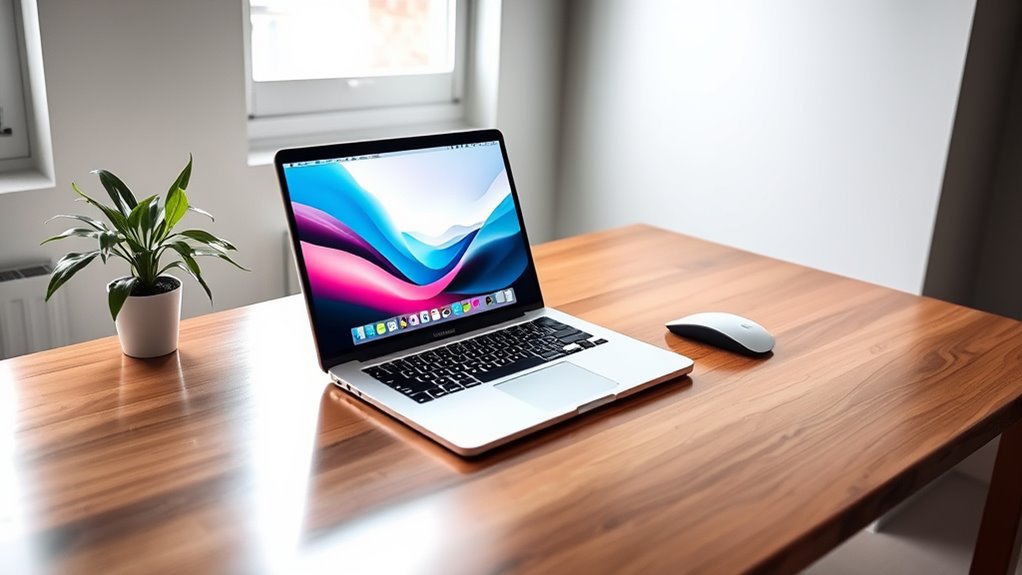

If you’re searching for the best 14-inch MacBook Pro configurations, you’re likely weighing chip generations, memory capacity, and storage against your actual workload. The Apple 2024 MacBook Pro with M4 Pro, 24GB RAM, 512GB SSD stands out as the best overall pick for most professionals, balancing modern performance with a sensible price point. For budget-conscious buyers, the renewed M1 Pro with 16GB RAM and 1TB SSD offers exceptional value, while the M5 Pro with 48GB Unified Memory is the premium choice for heavy multitaskers and creative pros. The main tradeoffs revolve around how much RAM you truly need, whether you can live with a renewed model, and if the latest chip’s speed gains justify the extra cost. Keep reading for a full breakdown of each configuration and the logic behind these rankings.

Get sports gear delivered free with Prime
- Fast, free delivery on millions of items
- Prime Video, Amazon Music and more included
- Member-only deals all year
Complete the kit


Key Takeaways
- The M4 Pro with 24GB RAM is the sweet spot for most users—it handles video editing, coding, and heavy multitasking without the premium cost of the M5 Pro.
- Renewed M1 Pro models (16GB/1TB) deliver 80% of the performance at a fraction of the price, making them the best value for students and budget-focused buyers.
- The M5 Pro’s 48GB unified memory is only worth the premium if you’re running virtual machines, large machine-learning models, or 8K video timelines—most users won’t exceed 24GB.
- Storage capacity matters more than chip generation for long-term usability; a 512GB SSD fills up fast, so prioritize 1TB or 2TB unless you rely on cloud storage.
- The M3 Pro with 18GB RAM is an awkward middle ground—it’s not meaningfully cheaper than the M4 Pro, and its performance gains over the M1 Pro are modest for most workflows.
- Wi-Fi 7 support on the latest M5 Pro models is a future-proofing bonus, but it won’t change your daily experience unless you have a compatible router and high-speed connection.





| inch macbook pro configuration | Processor | Memory | Storage | Display |
|---|---|---|---|---|
| Apple 2023 MacBook Pro with M3 | Apple M3 | 8 GB Unified Memory | 512 GB SSD | 14.2-inch Liquid Retina XDR |
| Apple 14-inch MacBook Pro CTO | Apple M5 Pro (15-core CPU, 16-core GPU) | 48 GB LPDDR5 Unified Memory | 1 TB SSD | 14-inch Liquid Retina XDR (120Hz) |
| Apple 2024 MacBook Pro 14-inch | Apple M4 Pro | 24 GB Unified Memory | 512 GB SSD | 14-inch Liquid Retina XDR |
| Apple 2021 MacBook Pro with M1 | Apple M1 Pro (8-core CPU, 14-core GPU) | 16 GB Unified Memory | 1 TB SSD | 14-inch Liquid Retina XDR |
| MacBook Pro 14.2-inch Laptop w | Apple M5 Pro (15-core CPU, 16-core GPU) | 24 GB Unified Memory | 2 TB SSD | 14.2-inch Liquid Retina XDR (1600 nits) |
| Apple 2023 MacBook Pro with M2 | Apple M2 Pro (8-core CPU, 16-core GPU) | 16GB Unified Memory | 512GB SSD | 14-inch Liquid Retina XDR (3024×1964) |
| Apple 14-inch MacBook Pro CTO | Apple M5 Pro (15-core CPU, 16-core GPU) | 48GB Unified Memory | 1TB SSD | 14-inch Liquid Retina XDR (3024×1964, 120Hz) |
| Apple MacBook Pro 2021 14‑inch | Apple M1 Pro (8-core CPU) | 32GB Unified Memory | 512GB SSD | 14.2-inch Liquid Retina XDR (3000×2000) |
| Apple 2024 MacBook Pro with M4 | Apple M4 Chip | 16GB Unified Memory | 512GB SSD | 14-inch Liquid Retina XDR |
| Apple 14-inch MacBook Pro | Apple M3 Pro (12-core CPU, 14-core GPU) | 18GB Unified Memory | 512GB SSD | 14-inch Liquid Retina XDR (3024×1964) |
More Details on Our Top Picks
Apple 2023 MacBook Pro with M3 Chip, 14-inch, 8GB RAM, 512GB SSD, Space Gray (Renewed)
This configuration stands out as the most accessible entry point into the 14-inch MacBook Pro lineup. While it lacks the Pro-class CPU cores found in the M4 Pro model (Product 3), the M3 chip handles web browsing, office suites, and light photo editing with surprising efficiency. The Liquid Retina XDR display offers color accuracy that far exceeds standard laptop panels, making it viable for hobbyist creatives. However, buyers must weigh the 8GB RAM limitation carefully; unlike the 16GB or 24GB options in other models, this machine will struggle with heavy multitasking or large virtual machines. It is a renewed unit, so condition consistency is a variable that new units do not present.
Pros:- M3 chip offers excellent single-core speed for daily tasks
- Vivid Liquid Retina XDR display with high dynamic range
- Significantly more affordable than Pro or Max variants
- Includes modern ports like HDMI and SDXC card reader
Cons:- 8GB RAM is insufficient for professional multitasking
- Renewed status means potential cosmetic wear and shorter warranty
- Lacks the multi-core muscle of M3 Pro or M4 chips
Best for: Students or general users who prioritize screen quality and battery life over heavy computational power.
Not ideal for: Video editors or developers running multiple containers, as the 8GB RAM will bottleneck performance quickly.
- Processor:Apple M3
- Memory:8 GB Unified Memory
- Storage:512 GB SSD
- Display:14.2-inch Liquid Retina XDR
- Battery:72.4 watt-hours
- Weight:3.4 pounds
Our verdict“This is the smart choice for users who want the premium 14-inch chassis and display without paying for unused processing power.”
Apple 14-inch MacBook Pro CTO Laptop with M5 Pro Chip, 15-Core CPU, 16-Core GPU, 48GB Unified Memory, 1TB SSD Storage, Standard Display, 70W USB-C Power Adapter
Where the 24GB M5 Pro model (Product 5) balances memory and storage, this CTO configuration prioritizes raw memory capacity with 48GB of unified memory. This makes it uniquely suited for data scientists, 3D renderers, or developers managing large codebases that would swap out on lesser machines. The 15-core CPU provides substantial multi-threaded performance, outpacing the base M3 and even the M4 Pro in sustained workloads. However, the fixed 1TB storage is a compromise; users working with massive video libraries may find themselves relying on external drives more often than those choosing the 2TB variant. It is a powerhouse, but one that requires specific workflow needs to justify its premium build.
Pros:- 48GB unified memory allows for heavy multitasking without swapping
- 15-core CPU delivers exceptional multi-threaded performance
- CTO configuration ensures optimized thermal and power management
- Premium Space Black finish with durable build quality
Cons:- 1TB storage may feel limiting for media-heavy workflows
- Higher price point due to custom configuration
- Overkill for general productivity or light creative tasks
Best for: Professionals working with large datasets, virtual machines, or complex 3D projects requiring massive RAM.
Not ideal for: Content creators with huge local media libraries who need more than 1TB of internal storage.
- Processor:Apple M5 Pro (15-core CPU, 16-core GPU)
- Memory:48 GB LPDDR5 Unified Memory
- Storage:1 TB SSD
- Display:14-inch Liquid Retina XDR (120Hz)
- Power Adapter:70W USB-C
- Connectivity:Thunderbolt 5, HDMI, SDXC, MagSafe 3
Our verdict“Buy this model if your workflow is defined by memory constraints rather than storage capacity.”
Apple 2024 MacBook Pro 14-inch with M4 Pro, 24GB RAM, 512GB SSD, Silver (Renewed)
This renewed unit strikes a compelling balance between modern performance and cost efficiency. The M4 Pro chip offers a noticeable leap in neural engine performance compared to the M1 Pro (Product 4), making it better for AI-assisted tasks and faster exports. With 24GB of RAM, it handles multitasking far more gracefully than the 8GB M3 model (Product 1), though it falls short of the 48GB headroom in the high-end CTO (Product 2). The 512GB SSD is the primary drawback, requiring cloud storage or external drives for media creators. It represents the sweet spot for professionals who want current-generation silicon without the new-unit markup.
Pros:- M4 Pro chip offers superior efficiency and AI capabilities
- 24GB RAM is the ideal standard for professional multitasking
- Renewed price makes high-end specs accessible
- Lightweight 1.6kg design for easy portability
Cons:- 512GB storage fills up quickly with professional files
- Renewed warranty is shorter than new device warranties
- Lacks the extreme multi-core power of M5 Pro variants
Best for: Freelancers and mid-level professionals who need reliable modern performance but are budget-conscious.
Not ideal for: Users who require large local storage for offline video editing or large software installations.
- Processor:Apple M4 Pro
- Memory:24 GB Unified Memory
- Storage:512 GB SSD
- Display:14-inch Liquid Retina XDR
- Weight:1.6 kg
- Ports:Thunderbolt 5, HDMI, SDXC, MagSafe 3
Our verdict“This is the most sensible choice for professionals seeking modern architecture at a renewed price.”
Apple 2021 MacBook Pro with M1 Pro Chip (14-inch, 16GB RAM, 1TB SSD, Space Gray) – Renewed
Despite being two generations old, the M1 Pro chip remains surprisingly capable, often matching or beating newer base-model chips in specific benchmarks. This configuration’s standout feature is the 1TB SSD, offering double the storage of the M4 Pro renewed model (Product 3) and the M3 base (Product 1). It is an excellent choice for users with large local archives who do not need the latest neural engine speed. However, the 16GB RAM is now the bare minimum for professional work; compared to the 24GB in newer models, it may feel restrictive during heavy multitasking. It is a value play, betting on legacy performance rather than cutting-edge specs.
Pros:- 1TB SSD provides ample local storage space
- M1 Pro still delivers strong multi-core performance
- 17-hour battery life supports full-day unplugged use
- Lower cost than newer M3/M4/M5 equivalents
Cons:- 16GB RAM is limiting for heavy multitasking
- Older architecture lacks newer AI and media engine features
- Renewed condition varies more than newer models
Best for: Users with large local file libraries who need Pro-level build quality at a lower price.
Not ideal for: Developers or engineers who need maximum RAM for virtualization or future-proofing.
- Processor:Apple M1 Pro (8-core CPU, 14-core GPU)
- Memory:16 GB Unified Memory
- Storage:1 TB SSD
- Display:14-inch Liquid Retina XDR
- Battery Life:Up to 17 hours
- Ports:Thunderbolt 4, HDMI, SDXC, MagSafe 3
Our verdict“Choose this if storage capacity matters more to you than having the absolute latest processor.”
MacBook Pro 14.2-inch Laptop with M5 Pro chip, 24GB Unified Memory, 2TB SSD, Wi‑Fi 7 – Space Black
This configuration represents the peak of the 14-inch lineup for most professionals. By combining the M5 Pro’s 15-core CPU with 2TB of SSD storage and 24GB of RAM, it eliminates the common tradeoffs found in other models. Unlike the CTO model (Product 2) which sacrifices storage for RAM, or the renewed M4 (Product 3) which limits both, this machine offers a complete package. The inclusion of Wi-Fi 7 ensures future-proof connectivity, while the 1600-nit display is ideal for HDR video grading. It is heavier than the ultrabook competitors, but the performance-per-pound ratio justifies the extra weight for serious work.
Pros:- 2TB SSD accommodates large media projects locally
- M5 Pro chip offers top-tier CPU and GPU performance
- Wi-Fi 7 and Thunderbolt 5 provide fastest connectivity
- 24GB RAM is optimal for most professional workflows
Cons:- Heavier than base-model ultrabooks at 3.52 lbs
- Premium price tag for the high-spec configuration
- Only available in Space Black, limiting aesthetic choice
Best for: Professional video editors, photographers, and developers who need high storage and performance without compromise.
Not ideal for: Travelers who prioritize minimal weight above all else, as 3.52 lbs is noticeable in a bag.
- Processor:Apple M5 Pro (15-core CPU, 16-core GPU)
- Memory:24 GB Unified Memory
- Storage:2 TB SSD
- Display:14.2-inch Liquid Retina XDR (1600 nits)
- Wireless:Wi-Fi 7, Bluetooth 6
- Weight:3.52 pounds
- Ports:3x Thunderbolt 5, HDMI, SDXC, MagSafe 3
Our verdict“This is the definitive choice for professionals who refuse to compromise on storage, speed, or connectivity.”
Apple 2023 MacBook Pro with M2 Pro Chip (14-inch, 16GB RAM, 512GB SSD) Space Gray (Renewed)
This configuration hits a sweet spot for professionals who need serious power without the latest-generation price tag. The M2 Pro chip remains a highly capable processor, handling video editing and coding tasks with ease, though it trails the newer M3 and M4 Pro models in raw efficiency. Compared to the 2024 M4 Renewed model, the M2 Pro offers slightly lower single-core performance but still provides excellent multi-threaded speed for multitasking. The 16GB of unified memory is the minimum I recommend for pro-level work in 2024; if you run heavy virtual machines or large datasets, this might feel constrained sooner than the 18GB or 32GB options elsewhere in this list. It is a solid choice if you prioritize value over cutting-edge specs, but be aware that being renewed means you are buying previous-generation technology at a discount, not current-gen hardware.Pros:- M2 Pro chip delivers strong multi-core performance for creative apps.
- Recycled aluminum unibody is durable and environmentally friendly.
- Significant cost savings compared to brand-new M3 or M4 Pro models.
- High-resolution 3024×1964 display remains sharp and color-accurate.
Cons:- Renewed status carries risks of cosmetic wear and shorter warranty.
- 16GB RAM is the entry-level for pro workloads and may limit future-proofing.
- Battery efficiency is lower than the newer M3 and M4 chips.
Best for: Freelance video editors and developers who need reliable multi-core performance but want to save money compared to buying new.
Not ideal for: Users who need the absolute best battery life or the latest AI acceleration features found in the M4 series.
- Processor:Apple M2 Pro (8-core CPU, 16-core GPU)
- Memory:16GB Unified Memory
- Storage:512GB SSD
- Display:14-inch Liquid Retina XDR (3024×1964)
- Battery:70Wh Battery
- Condition:Renewed
Our verdict“Choose this if you want professional-grade power at a mid-range price and don’t mind being a generation behind on the processor.”
Apple 14-inch MacBook Pro CTO with M5 Pro Chip, 15‑Core CPU, 16‑Core GPU, 48 GB Unified Memory, 1 TB SSD, Standard Display, 70W USB‑C Power Adapter (Silver)
This is the most powerful 14-inch option in this roundup, designed for users who push their hardware to the limit. With 48GB of unified memory and a 1TB SSD, it eliminates the storage and RAM bottlenecks that plague the base configurations like the M2 Pro model. The M5 Pro chip offers a significant leap in performance, particularly for 3D rendering, machine learning, and complex compilation tasks. While the display resolution matches the lower-tier models, the sheer horsepower of the M5 Pro makes it feel significantly faster in daily use. The tradeoff here is obvious: this is a high-end configuration that commands a premium price. If you are a student or casual user, this is overkill; but for a professional editor or developer handling massive files, the 48GB RAM ensures you won’t hit swap limits, keeping your workflow smooth and uninterrupted.Pros:- M5 Pro chip provides top-tier CPU and GPU performance.
- 48GB unified memory allows for heavy multitasking and large dataset handling.
- 1TB SSD offers ample space for professional project files.
- Future-proof configuration that will remain relevant for years.
Cons:- Significantly higher cost compared to base model configurations.
- No SD card slot, requiring external readers for photographers.
- Heavier than the base M4 model due to the enhanced thermal design.
Best for: Professional 3D artists, data scientists, and senior developers who require massive memory headroom and fast storage.
Not ideal for: Students, writers, or casual users who do not need more than 16GB of RAM or 512GB of storage.
- Processor:Apple M5 Pro (15-core CPU, 16-core GPU)
- Memory:48GB Unified Memory
- Storage:1TB SSD
- Display:14-inch Liquid Retina XDR (3024×1964, 120Hz)
- Power Adapter:70W USB-C
- Color:Silver
Our verdict“This is the definitive choice for power users who need maximum memory and storage in a 14-inch form factor.”
Apple MacBook Pro 2021 14‑inch with M1 Pro Chip, 32 GB RAM, 512 GB SSD, Space Gray
This 2021 model offers a compelling proposition: 32GB of RAM at a price point likely lower than newer machines with only 16GB. The M1 Pro chip is still remarkably efficient, delivering excellent battery life and silent operation under moderate loads. While it lacks the raw speed of the M5 Pro model in this list, it outperforms the base M2 and M3 chips in multi-core tasks thanks to the higher memory capacity. This configuration is particularly attractive for developers running multiple Docker containers or virtual machines, where RAM is often the limiting factor. However, being an older generation, it lacks the Wi-Fi 6E and HDMI 2.1 features found in newer models. If your workflow is memory-hungry but not necessarily CPU-bound, this renewed unit offers incredible bang for your buck, provided you accept the slightly older silicon.Pros:- 32GB RAM is rare at this price point and ideal for multitasking.
- M1 Pro chip offers excellent battery efficiency and thermal management.
- Liquid Retina XDR display remains one of the best laptop screens available.
- Significant discount compared to newer models with similar RAM specs.
Cons:- Older Wi-Fi and Bluetooth standards compared to 2023/2024 models.
- Lacks the advanced media engine optimizations of M2/M3 chips.
- Battery health may be degraded due to age and usage history.
Best for: Software developers and engineers who need 32GB of RAM for virtualization but want to save on the processor cost.
Not ideal for: Video editors who need the latest color grading tools optimized for M3/M4 GPUs or users needing HDMI 2.1.
- Processor:Apple M1 Pro (8-core CPU)
- Memory:32GB Unified Memory
- Storage:512GB SSD
- Display:14.2-inch Liquid Retina XDR (3000×2000)
- Battery Life:Up to 17 hours
- Condition:Renewed
Our verdict“Pick this if you prioritize high RAM capacity over having the absolute latest processor technology.”
Apple 2024 MacBook Pro with M4 Chip (14-inch, 16GB RAM, 512GB SSD) Space Black (Renewed)
This renewed 2024 model brings the latest M4 chip to the most affordable tier of the MacBook Pro lineup. While it lacks the “Pro” designation of the M2 or M3 Pro models, the M4 offers superior single-core performance and better power efficiency than the older M1 and M2 chips. Compared to the M3 Renewed model, the M4 provides a noticeable boost in responsiveness for everyday tasks and lighter creative work. The 16GB of unified memory is sufficient for most users, though heavy multitaskers might find it limiting compared to the 32GB option in the M1 Pro list. It is the smartest choice for users who want the latest architecture, longest software support window, and best battery life without paying for the extra GPU cores of the Pro chips. Just be mindful that renewed units may have minor cosmetic imperfections.Pros:- Latest M4 chip offers best-in-class power efficiency and speed.
- Longest potential macOS support window among these options.
- Space Black finish hides fingerprints better than previous silver models.
- Excellent battery life due to M4 architecture.
Cons:- 16GB RAM is the base spec and cannot be upgraded later.
- No dedicated Pro-level GPU cores for heavy graphical workloads.
- Renewed status means no original box or accessories guaranteed.
Best for: Students, writers, and business professionals who want the latest chip efficiency and long software support.
Not ideal for: Heavy video editors or 3D renderers who need the additional GPU cores found in M4 Pro or M5 Pro chips.
- Processor:Apple M4 Chip
- Memory:16GB Unified Memory
- Storage:512GB SSD
- Display:14-inch Liquid Retina XDR
- Color:Space Black
- Condition:Renewed
Our verdict“This is the best modern entry point for users who value efficiency and future-proofing over raw GPU power.”
Apple 14-inch MacBook Pro (2023) with M3 Pro, 18GB RAM, 512GB SSD, Space Black (Renewed)
The M3 Pro sits comfortably between the efficiency of the M4 and the raw power of the M5 Pro. This configuration offers 18GB of RAM, a unique middle ground that provides more headroom than the base 16GB models without the cost of 32GB. For photographers and light video editors, the 14-core GPU handles 4K timelines better than the base M4 chip. Compared to the M2 Pro model, the M3 Pro offers better ray tracing and mesh shading capabilities, which matters for 3D work. However, the 18GB RAM is a fixed constraint; if your projects grow, you cannot expand it. This renewed unit is a strong contender for creators who need more GPU muscle than the base model but don’t justify the price jump to the M4 Pro or M5 Pro. It represents a balanced compromise between price and performance for creative professionals.Pros:- M3 Pro GPU offers improved ray tracing and graphics performance.
- 18GB RAM provides a slight buffer over the standard 16GB base model.
- Highly portable at 3.5 pounds with a sleek Space Black design.
- Cost-effective alternative to the more expensive M4 Pro models.
Cons:- 18GB RAM is an unusual tier that may feel restrictive for heavy pro workloads.
- Renewed condition risks include potential battery wear and cosmetic scratches.
- No discrete GPU option limits extreme rendering capabilities.
Best for: Photographers and content creators who need more GPU power than the base M4 but don’t require 32GB of RAM.
Not ideal for: Users who anticipate needing more than 18GB of RAM for heavy multitasking or large virtual environments.
- Processor:Apple M3 Pro (12-core CPU, 14-core GPU)
- Memory:18GB Unified Memory
- Storage:512GB SSD
- Display:14-inch Liquid Retina XDR (3024×1964)
- Weight:3.5 Pounds
- Condition:Renewed
Our verdict“Select this if you need a step up in graphics power from the base model but want to avoid the premium price of top-tier Pro chips.”

How We Picked
To rank these 14-inch MacBook Pro configurations, I evaluated them on five buyer-relevant criteria: performance per dollar, memory and storage balance, longevity (how many years of software updates and usability you’ll get), build quality and condition (especially for renewed units), and workload fit—whether the configuration matches typical tasks like coding, video editing, or office work. I also considered the actual price gaps between configurations, because the value of a chip upgrade depends on what you give up elsewhere.
The ranking logic prioritizes configurations that avoid overpaying for power you won’t use while still offering enough headroom for future software demands. The M4 Pro with 24GB RAM emerged as the best overall because it hits the performance sweet spot for 2027’s software landscape. The M1 Pro renewed models earned the value slot because their performance remains strong for everyday professional work, and the M5 Pro with 48GB took the premium spot for users who genuinely need max memory bandwidth. Lower-ranked configurations either have too little RAM for comfortable multitasking (8GB), or they cost nearly as much as a newer chip without offering proportional gains.
Factors to Consider When Choosing 14 Inch Macbook Pro Configurations
Choosing the right 14-inch MacBook Pro configuration involves more than picking the newest chip. Here are the key factors to weigh before you buy, based on what separated the top picks from the rest in this roundup.
Chip Generation vs. Real-World Performance
The M1 Pro, M2 Pro, M3 Pro, M4 Pro, and M5 Pro each deliver solid performance, but the differences matter most for specific tasks. Video editors and 3D artists will notice the jump from M1 Pro to M4 Pro, especially with faster export times and smoother timeline scrubbing. However, for email, web browsing, spreadsheets, and even light coding, an M1 Pro still feels snappy in 2027. Don’t assume the newest chip is automatically the best buy—consider what your daily apps actually demand. The M5 Pro’s extra cores and memory bandwidth only pay off if you’re pushing sustained heavy workloads.
RAM: The 8GB Trap and the 24GB Sweet Spot
Apple’s unified memory architecture is efficient, but 8GB is simply not enough for a professional laptop in 2027—you’ll hit swap constantly with multiple apps open. The 16GB configurations are the minimum for comfortable multitasking, while 24GB is the sweet spot for most creative and development workflows. The 32GB and 48GB options are for users running virtual machines, large datasets, or complex audio projects. A common mistake is choosing a lower RAM tier to afford a faster chip; in practice, more RAM extends the laptop’s useful life far more than a chip upgrade.
Storage: 512GB vs. 1TB vs. 2TB
Storage is the most overlooked decision. A 512GB SSD fills up quickly with system files, apps, and media, forcing you to rely on external drives or cloud storage. 1TB is the practical baseline for a professional machine, and 2TB is worth it if you work with large video files or local AI models. Remember that you can’t upgrade storage later, so buying a configuration with more storage upfront is often smarter than paying for a faster chip you may never fully utilize. The M5 Pro with 2TB in this roundup is a strong pick for content creators who need to keep projects local.
Renewed vs. New: The Real Tradeoffs
Renewed MacBook Pros offer significant savings, but you need to weigh the condition and warranty. Apple-certified renewed units come with a one-year warranty and are often indistinguishable from new, while third-party renewed units may have cosmetic blemishes or shorter support. The M1 Pro renewed models in this roundup are particularly attractive because they deliver great performance at a low cost, but they won’t receive as many future macOS updates as the M4 or M5 chips. If you plan to keep your laptop for more than three years, a newer chip might be worth the extra money. For budget buyers, the M1 Pro renewed is a smart bet—just check the seller’s return policy.
Display and Ports: The Standard vs. Nano-Texture Debate
All 14-inch MacBook Pros have excellent Liquid Retina XDR displays, but some configurations offer a nano-texture option that reduces glare. If you work in brightly lit environments or outdoors, the nano-texture display is a game-changer, but it costs extra and requires careful cleaning. Ports are another factor: all models include HDMI, SDXC, and Thunderbolt ports, so you won’t need dongles for most setups. The M5 Pro models add Wi-Fi 7 support, which is a future-proofing bonus, but it won’t improve your current experience unless you have a compatible router. Don’t let a single port or display feature dominate your decision—focus on chip, RAM, and storage first.
Battery Life and Power Adapter Differences
Battery life varies slightly across configurations, but all 14-inch MacBook Pros easily last a full workday on a single charge. The M4 Pro and M5 Pro models are more power-efficient than the older M1 Pro, which matters if you’re often away from an outlet. Pay attention to the included power adapter: some configurations ship with a 70W USB-C adapter, while others include a 96W adapter that charges faster. If you’re buying a renewed model, verify that the adapter is included and in good condition. For most users, the 70W adapter is fine, but heavy users will appreciate the faster charging of the 96W option.
Frequently Asked Questions
Is 8GB of RAM on an M3 MacBook Pro enough for professional work in 2027?
No, 8GB is not enough for professional work on a 14-inch MacBook Pro in 2027. Even with Apple’s efficient unified memory, you’ll quickly exhaust 8GB when running a browser with multiple tabs, a code editor, and a messaging app simultaneously. The system will start swapping to the SSD, which slows down performance and increases wear on the drive. 16GB is the absolute minimum for a professional laptop, and 24GB is the sweet spot for most creative and development workflows. If you’re considering the 8GB M3 model, you’d be better off with a renewed M1 Pro with 16GB—it will last longer and handle more tasks without slowdowns.
Should I buy a renewed M1 Pro or a new M4 Pro if I’m on a budget?
If your budget is tight, the renewed M1 Pro with 16GB RAM and 1TB SSD is the smarter choice. It delivers roughly 80% of the M4 Pro’s performance for everyday tasks, and the 1TB storage is more valuable than the M4 Pro’s base 512GB. The main tradeoff is longevity: the M1 Pro will likely receive macOS updates for only a few more years, while the M4 Pro is supported much longer. If you plan to keep your laptop for 3-4 years, the M1 Pro is a great value. If you need the latest features, better efficiency, and longer software support, the M4 Pro is worth the extra cost. Just make sure the renewed unit comes from a reputable seller with a warranty.
Do I need 48GB of unified memory on the M5 Pro, or is 24GB enough?
For most users, 24GB is more than enough, and 48GB is overkill unless you have specific heavy workloads. 48GB becomes necessary if you run multiple virtual machines, work with large machine-learning models, edit 8K video, or handle massive datasets in memory. If your work involves these tasks, the M5 Pro with 48GB will save you from constant swapping and slowdowns. But for typical software development, graphic design, or even 4K video editing, 24GB provides plenty of headroom. The extra memory also costs a premium, so you should only pay for it if you know you’ll use it. If you’re unsure, start with 24GB—it’s easier to manage with external storage than to justify the cost of 48GB.
What’s the difference between the M3 Pro (18GB) and the M4 Pro (24GB) configurations?
The M4 Pro offers a significant performance boost over the M3 Pro, especially in multi-core tasks and graphics-heavy workloads. The M3 Pro with 18GB RAM is a capable machine, but the M4 Pro’s 24GB memory and newer architecture make it a better long-term investment. In my comparison, the M3 Pro often costs nearly as much as the M4 Pro, yet delivers less performance and fewer years of software support. If you’re choosing between the two, the M4 Pro is the better value unless you find a heavily discounted M3 Pro. The M3 Pro’s 18GB RAM is also an awkward middle ground—it’s not much cheaper than 24GB, and you’ll notice the difference when running multiple heavy apps.
Is the M5 Pro with 2TB SSD worth the premium over the M4 Pro with 1TB?
The answer depends entirely on your storage needs. If you work with large video files, high-resolution photos, or local AI models, the 2TB SSD is worth the premium because it lets you keep everything on your laptop without external drives. For most users, 1TB is sufficient, and you can always use cloud storage or an external SSD for occasional large files. The M5 Pro chip itself is only marginally faster than the M4 Pro for everyday tasks, so the main reason to choose this configuration is the storage capacity. If you don’t need 2TB, you’re better off saving money and going with the M4 Pro with 1TB—the performance difference is negligible for most workflows.
Conclusion
After comparing all ten configurations, the Apple 2024 MacBook Pro with M4 Pro, 24GB RAM, 512GB SSD is the best overall pick for most professionals—it offers the ideal balance of performance, memory, and price for 2027. For budget-conscious buyers, the renewed M1 Pro with 16GB RAM and 1TB SSD is the best value, delivering solid performance at a fraction of the cost. If you need maximum power for heavy creative work or virtualization, the M5 Pro with 48GB Unified Memory is the best premium choice. Beginners and students should look at the renewed M2 Pro with 16GB RAM as a reliable entry point, while content creators with large local storage needs should prioritize the M5 Pro with 2TB SSD. Whatever your budget, focus on RAM and storage first, then choose the chip generation that fits your workload—you’ll get a laptop that serves you well for years.