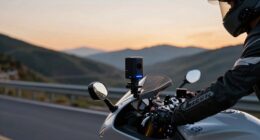
GPS in cycling computers works by connecting to satellites orbiting Earth, which send signals that your device uses to determine your exact location. The computer receives signals from multiple satellites simultaneously and uses advanced algorithms to calculate your position accurately. Factors like tall buildings, dense trees, or tunnels can weaken signals and cause errors. By understanding these basics, you’ll be better equipped to optimize your device’s performance—learn more to improve your rides even further.
Key Takeaways
- Cycling computers use satellite signals from GPS, GLONASS, and Galileo for precise location tracking.
- Signal accuracy depends on environmental conditions like buildings, trees, and tunnels that can cause obstructions.
- Multi-constellation compatibility improves reliability and accuracy by connecting to multiple satellite systems.
- Continuous GPS use consumes more battery, so optimizing settings helps balance power and tracking precision.
- Environmental factors influence signal quality and power consumption, impacting route accuracy and device performance.

If you want to get the most out of your cycling computer, understanding how GPS works is vital. GPS, or Global Positioning System, relies on a network of satellites orbiting the Earth to determine your location. When you ride, your cycling computer receives signals from multiple satellites. By calculating the time it takes for these signals to reach your device, it can pinpoint your position with remarkable precision. However, this process isn’t foolproof; factors like signal accuracy and power consumption play significant roles in your experience. Satellite signals are subject to environmental influences that can affect their reliability. Signal accuracy is essential because it directly impacts how precisely your device tracks your route. Environmental obstacles, such as tall buildings, dense trees, or tunnels, can block or weaken satellite signals, leading to inaccuracies or temporary loss of signal. Your cycling computer’s ability to compensate for these issues relies on advanced algorithms and multiple satellite signals. The more satellites it can connect to—like GPS, GLONASS, or Galileo—the better your device can triangulate your position. When signal accuracy dips, you might notice your route jumps or deviations, which can affect your training data or navigation. That’s why choosing a cycling computer with multi-constellation compatibility and good antenna design is vital for consistent tracking.
Power consumption is another critical aspect because GPS functions continuously draw power from your device’s battery. If your cycling computer’s battery drains quickly, you might find yourself without navigation support mid-ride. To optimize power consumption, many devices allow you to adjust tracking settings, such as reducing update frequency or switching to less power-intensive modes. Some newer models utilize more efficient GPS chips and algorithms that balance accuracy with battery life. It’s important to understand that higher signal accuracy often requires more power, since connecting to multiple satellites and processing complex data takes energy. Hence, you need to find a balance that suits your riding style and battery capacity.
In addition to hardware and software features, your riding environment can influence both power consumption and signal accuracy. Urban areas with tall buildings can cause signal multipath errors, forcing your device to work harder to maintain accurate positioning. Conversely, open terrains typically provide clearer signals and more stable readings, reducing power drain. Being aware of these factors helps you manage your device better; for instance, enabling features like GPS logging only when needed or carrying a portable charger can extend your riding experience. Ultimately, understanding how GPS works allows you to optimize your cycling computer’s performance, ensuring accurate tracking while conserving battery life.
cycling GPS computer with multi-constellation support
As an affiliate, we earn on qualifying purchases.
As an affiliate, we earn on qualifying purchases.
Frequently Asked Questions
How Do I Update the GPS Software on My Cycling Computer?
To update the GPS software on your cycling computer, you typically connect it to your computer via USB or sync it through a companion app. Check for firmware updates regularly to guarantee compatibility with the latest features, and always verify software compatibility before updating. Follow the manufacturer’s instructions, download the latest firmware, and install it carefully to enhance your device’s performance and GPS accuracy.
What Is the Battery Life Impact of Using GPS During Long Rides?
Using GPS during long rides increases battery consumption, which can reduce your cycling computer’s overall battery life. To minimize this impact, you should enable power management features like screen timeout and low-power GPS modes. You might also consider carrying a portable charger or choosing a device with a larger battery. Properly managing GPS settings allows you to extend your ride time without sacrificing essential tracking features.
Can GPS Data Be Transferred Between Different Cycling Computers?
Yes, you can transfer GPS data between different cycling computers, but it depends on data format and compatibility. You’ll want to make certain both devices support common formats like GPX or FIT. Usually, you can export your ride data from one device and import it into another, but check each device’s compatibility and supported data formats first. This way, you can easily share and analyze your cycling data across different systems.
How Accurate Is GPS Tracking in Dense Urban Areas?
In dense urban areas, your GPS can act like a squirrel in an urban canyon, darting unpredictably due to signal interference. Buildings and skyscrapers block and bounce signals, making your tracking less accurate. You might find your route jumping or lagging, especially in narrow streets. While modern GPS still offers decent guidance, expect some hiccups, and don’t rely solely on it—use your eyes and local knowledge to stay on track.
What Should I Do if My GPS Signal Is Lost Mid-Ride?
If your GPS signal gets lost mid-ride, don’t panic. First, check if your satellite signal is weak or obstructed by tall buildings or dense trees. Try stopping briefly to allow your device to reconnect, or move to an open area for better reception. Troubleshooting steps include restarting your cycling computer, ensuring your firmware is updated, and resetting your GPS settings if needed. These actions usually restore your satellite signal quickly.
Conclusion
Understanding GPS basics helps you get the most out of your cycling computer. With accurate tracking, you can improve your routes and monitor your progress effectively. Did you know that over 70% of cyclists use GPS devices to enhance their rides? This shows how essential GPS technology has become for cyclists seeking to optimize their experience. By mastering these fundamentals, you’ll ride smarter, safer, and more confidently every time you hit the road.