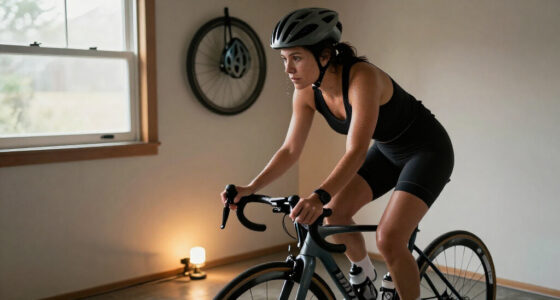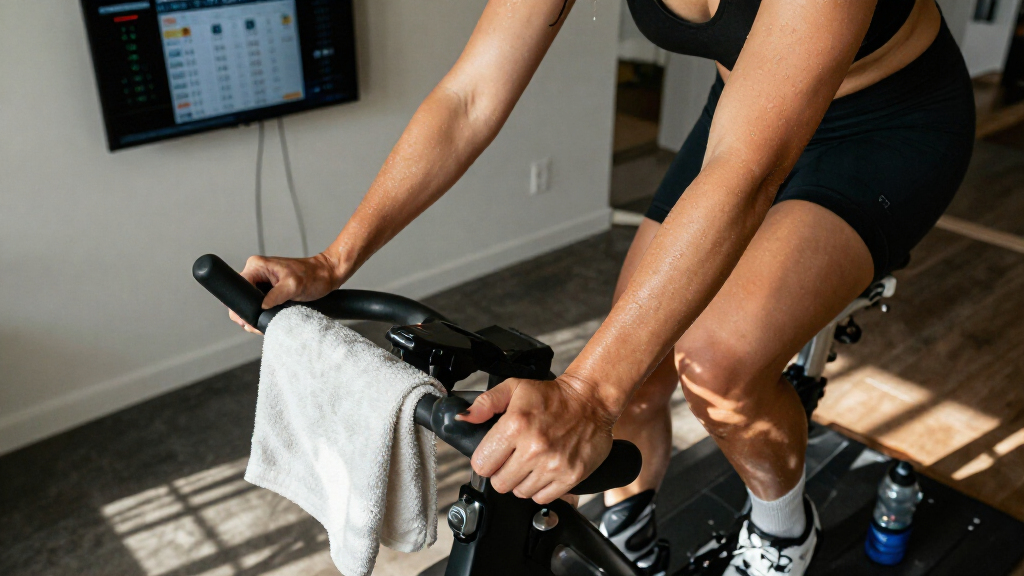

This checklist is for riders setting up an indoor cycling space for structured training, comfortable sessions, or both. It covers the main equipment choices alongside a few practical accessories that can make a home setup easier to use. Start with your riding needs, then check how each item fits your space and routine.

Get sports gear delivered free with Prime
- Fast, free delivery on millions of items
- Prime Video, Amazon Music and more included
- Member-only deals all year
The sections follow the setup from the trainer to the supporting accessories: a smart bike trainer, mat, sweat guard, handlebar desk, fan, and heart rate monitor. The named picks are included in the relevant sections; the mat, sweat guard, and fan sections offer selection advice without a specific product. Each section has a clear role, so you can compare essentials with optional additions.
Use the look-for points as a shortlist, then confirm dimensions, compatibility, and the product’s included features with the manufacturer before buying. Match accessories to your bike, floor, room layout, and training habits. Check fit before checkout, especially for items that need to sit securely around your equipment.
Smart Bike Trainer
A smart bike trainer is the foundation of an indoor cycling setup, so the first step is deciding whether a dedicated indoor bike fits your training space and habits. The Wahoo Fitness KICKR Bike PRO Indoor Trainer is the named pick for this slot. Before choosing it, consider where it will live, whether you need to move it between sessions, and how you plan to use your existing cycling accessories.
A common mistake is focusing on the trainer alone and overlooking the space around it. Measure the intended footprint, including room for safe mounting and dismounting, and check the floor surface. Confirm that the bike’s fit adjustments suit the rider or riders who will use it; if multiple people share it, think through how easily each person can return to a comfortable position. Fit and room clearance matter for a setup you can use consistently.
Review the manufacturer’s current specifications for adjustment range, connectivity, supported training apps, and included components. Check that any devices or accessories you rely on will work with the bike, and verify delivery and assembly requirements. Avoid assuming that familiar features from another trainer carry over. Confirm details at the source before making the trainer the anchor of your setup.
What to look for:
- Measure the full setup area and allow space to mount and dismount.
- Check fit-adjustment range against each intended rider.
- Confirm connectivity and app support in the current product specifications.
- Review what components are included and what must be added separately.
- Check floor suitability, placement, and any assembly requirements.
Wahoo Fitness KICKR Bike PRO Indoor Trainer

The Wahoo KICKR Bike PRO is a high-end indoor trainer designed for serious cyclists, featuring a precision flywheel and integrated motor that simulate real-world resistance and gradients. It offers seamless virtual shifting, downhill simulation, and professional-grade durability for an immersive training experience.
Pros:
- Realistic ride feel with precision flywheel and motor
- Seamless virtual shifting and downhill simulation
- Durable, professional-grade construction
- Quiet operation suitable for any environment
Cons:
- Heavy weight may require sturdy setup space
- High-end features may come at a premium price
Best for: Riders planning a dedicated indoor training setup.
Not ideal for: People who need a compact setup they can quickly stow away.
Bottom line: Choose the KICKR Bike PRO after confirming its fit range, room requirements, and compatibility with your training setup.
Indoor Cycling Mat
A mat can help define the training area and provide a surface beneath indoor cycling equipment. Because there is no specific product pick for this slot, choose based on your floor, equipment footprint, and cleaning routine. Start with the actual footprint of your bike and any nearby accessories rather than relying on a generic size label.
One common mistake is buying a mat that is too small to cover the areas where the equipment sits or where sweat and drips may land. Measure the setup, including any stabilizing feet, and check the mat’s dimensions before ordering. Consider whether its material is suitable for your flooring and whether it can be cleaned in the way you prefer. Match dimensions to the setup, and check that the mat lies flat and does not interfere with stable placement.
Think about the room as well as the bike: a mat that fits under the equipment may still be awkward if it blocks a doorway or crowds a shared space. Confirm thickness and care instructions from the maker, and avoid assuming every mat works on every floor. Verify floor compatibility and placement before the first ride.
What to look for:
- Measure equipment feet and the area where sweat may land.
- Check the mat dimensions against the available floor space.
- Review the material and care instructions for your floor and cleaning routine.
- Confirm the mat lies flat beneath the equipment.
- Consider doorways, storage, and nearby furniture when choosing placement.
Sweat Guard
A sweat guard can help protect the bike area from perspiration during indoor sessions. There is no named product pick here, so choose one by checking how it attaches to your specific bike and where it covers. Attachment and coverage come first: a guard that does not sit securely or shield the intended area may be inconvenient.
A frequent buying mistake is assuming that a sweat guard is universal. Compare the product’s stated compatibility with your bike’s frame, handlebar, and seat arrangement, and check any fitting instructions. Pay attention to how the guard is removed for cleaning, since a difficult cleanup routine can make an accessory less useful over time. Check compatibility explicitly rather than relying on appearance alone.
Consider your riding position and how you use the bike, then look for a design that covers the areas you want to protect without obstructing adjustments or movement. Review the maker’s washing and care guidance, and confirm whether the product is intended for the bike type you own. Plan for easy maintenance as part of the purchase decision.
What to look for:
- Confirm stated compatibility with your bike model and arrangement.
- Check where the guard attaches and which areas it covers.
- Review fitting steps for interference with bike adjustments or movement.
- Look for clear removal and cleaning instructions.
- Verify the material and care guidance with the manufacturer.
Handlebar Desk
A handlebar desk gives an indoor rider a place for items they want within reach during a session. The named pick is the Wahoo KICKR Desk V2 for Indoor Cycling Trainers, Stationary/Spin Bikes. Before buying, think about what you intend to place on it and how close it needs to be without interfering with riding.
A common mistake is treating the desk as automatically compatible with every bike or trainer because the product name mentions several types. Confirm the manufacturer’s compatibility guidance for your exact setup, then check the desk’s dimensions and adjustment options. Consider whether it can be positioned at a comfortable height and distance for your posture. Check the fit in your room, including clearance for handlebars and movement.
Also consider what the surface needs to hold and how the desk will be placed when not in use. Check the product details for assembly, adjustment, and any stated load guidance; do not infer capacity from appearance. If you plan to use a device on the desk, make sure its footprint fits the surface and that cables can be managed without crossing your riding path. Confirm the practical details before adding it to your setup.
What to look for:
- Verify compatibility with your exact bike or trainer arrangement.
- Measure the desk area and intended device footprint.
- Check height and positioning options for a comfortable reach.
- Review assembly instructions and any stated load guidance.
- Plan placement and cable routing around the riding area.
Wahoo KICKR Desk V2 for Indoor Cycling Trainers, Stationary/Spin Bikes, Standing

The Wahoo KICKR Desk V2 is a durable steel frame desk designed for indoor cycling trainers, offering full adjustability for sitting, riding, or standing positions. It features built-in tablet and smartphone stands, wheels for easy movement, and cable organization options, making it ideal for tech-savvy cyclists.
Pros:
- Fully adjustable for sitting, riding, or standing positions
- Sturdy steel construction for stability
- Easy to move with four wheels
Cons:
- Some features like tablet stand are coming soon
- Limited information on weight capacity
- Potentially bulky for small spaces
Best for: Riders who want a nearby surface for session essentials.
Not ideal for: People with limited room around the bike or no need for a desk.
Bottom line: Confirm the desk fits your bike, room, and intended items before choosing the KICKR Desk V2.
Indoor Cycling Fan
A fan is a practical consideration for an indoor cycling space, where airflow can affect how comfortable a session feels. There is no specific fan pick for this section, so start with the room layout and where you can direct airflow while riding. Choose for your space rather than assuming one fan style suits every setup.
A common mistake is placing a fan where it is hard to reach or where its airflow misses the rider. Consider whether the fan can be positioned safely near the bike, whether its controls are accessible from the riding position, and how its size fits the room. Check the product’s stated settings and care instructions rather than assuming performance from its appearance. Prioritize usable placement and straightforward controls.
Think through power access and cable routing before selecting a location. Keep cords clear of pedals, wheels, and walkways, and confirm that the fan can sit securely on the surface or mount you have available. If more than one rider uses the setup, consider whether the placement can work for different positions. Plan airflow and cables together when arranging the training area.
What to look for:
- Choose a style and size that fit the room and available placement.
- Check that airflow can be directed toward the riding position.
- Look for accessible controls from the bike.
- Plan power access and keep cords clear of the riding path.
- Review the manufacturer’s settings, placement, and care guidance.
Heart Rate Monitor
A heart rate monitor can support training when its measurements and device compatibility match your needs. The named pick for this slot is the Withings BodyScan 2 Smart Scale with 6-Lead ECG, Black. Because the product name describes a smart scale, review its current specifications carefully to determine whether it serves the monitoring role you want during cycling.
A key buying mistake is assuming that a device with ECG or body measurement features functions like a wearable monitor during exercise. Check how and when readings are taken, what data is available during a ride, and which apps or devices can receive it. Confirm the intended use against your training routine rather than relying on the section label or product title.
Also consider where the device will be used and how many people may share it. Review the maker’s instructions, supported integrations, and setup requirements, then compare those with your existing phone or training platform. If you specifically need live ride data, verify that the product provides that before choosing it. Match measurements to your goal and confirm compatibility with your existing equipment.
What to look for:
- Verify whether readings are available during cycling or only in specified situations.
- Check which measurements and features the manufacturer currently lists.
- Confirm app, phone, and training platform compatibility.
- Review setup and usage instructions for the intended monitoring purpose.
- Consider whether the device’s format suits your workout routine.
Withings BodyScan 2 Smart Scale with 6-Lead ECG, Black
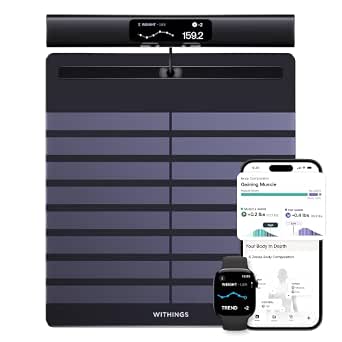
This smart scale uses 12 electrodes and bioimpedance spectroscopy to measure body composition across the arms, legs, and torso. It includes a 6-lead ECG and other cardiovascular measurements, displays results on its handle, and syncs with the Withings app over Wi-Fi.
Pros:
- Measures body composition across the arms, legs, and torso
- Includes ECG and cardiovascular tracking features
- Shows results on the scale and syncs over Wi-Fi
- Supports up to eight users
Cons:
- Full app experience and scores require a Withings+ subscription
- Some health metrics are described as screening or pattern tracking rather than diagnosis
Best for: Buyers whose monitoring needs match the listed scale features.
Not ideal for: Riders seeking a live cycling heart rate reading without confirming support.
Bottom line: Verify that the BodyScan 2 provides the cycling data and integrations you need before selecting it for this slot.
If you are building the setup in stages, prioritize the item that makes indoor riding possible, then add accessories based on your room and routine. Measure the space before choosing a mat or desk, check bike compatibility for the sweat guard, and plan fan placement around airflow and power access. Buy in order of need, using the look-for points to guide each decision.
A comfortable, usable training corner comes together through careful fit checks and a few practical choices. Confirm current specifications with each manufacturer, and select only the accessories that support the way you ride. Start with your space, make one thoughtful addition at a time, and enjoy setting up a routine that works for you.