
To make your bike computer easier to use, look for features like high GPS accuracy and multi-satellite system integration, which guarantee reliable navigation even in tricky environments. Responsive touch screens let you quickly input destinations and switch modes without hassle, while customization options help you prioritize the data you want to see. Advanced navigation tools support recalibrating routes on the go, making your rides smoother. Keep exploring further to discover even more ways these features enhance your experience.
Key Takeaways
- Responsive touch screens enable quick destination input and map adjustments without fumbling with buttons.
- Customizable interfaces allow riders to prioritize relevant data for easier access during rides.
- Advanced GPS and satellite system integration ensure reliable navigation even in challenging environments.
- Route recalibration features adapt quickly to changing riding conditions, maintaining accurate guidance.
- Intuitive interactions like tap, swipe, and zoom simplify navigation and reduce distractions.

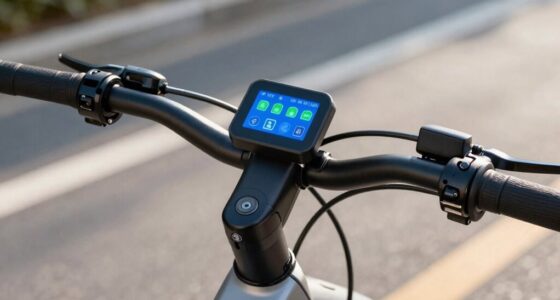
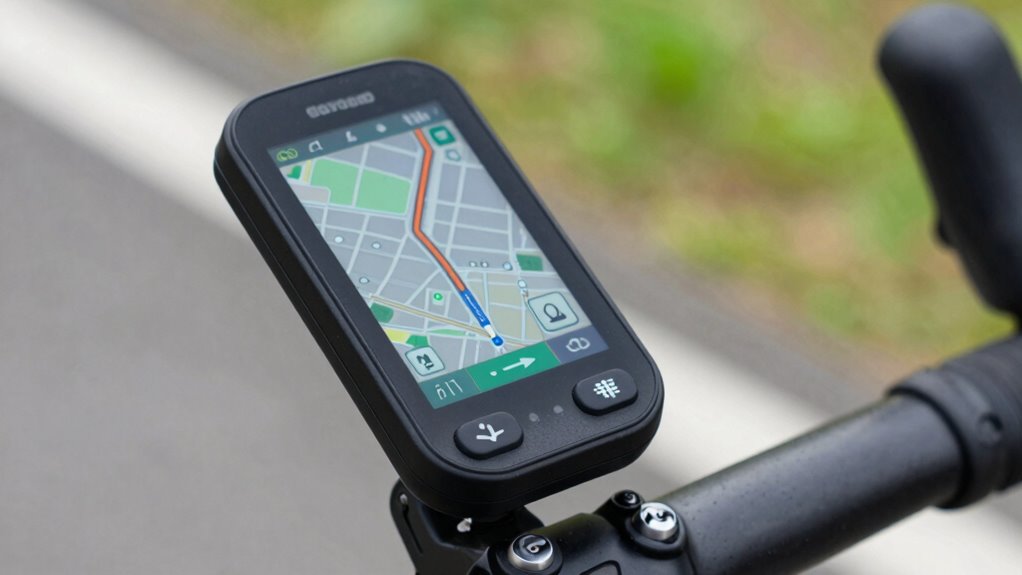
When choosing a bike computer, wayfinding features can make all the difference in your riding experience. One of the most critical aspects is GPS accuracy. You want a device that pinpoints your location precisely, especially when exploring unfamiliar trails or steering through busy city streets. A bike computer with high GPS accuracy ensures that your routes are reliable, and you can trust the directions it provides. Poor GPS signals can lead to incorrect routes or sudden disconnections, frustrating your ride and wasting your time. Look for models that incorporate multi-satellite systems, like GLONASS or Galileo, as they improve positioning accuracy and reduce signal dropouts. The better the GPS accuracy, the more confidence you’ll have in following the routes displayed on your device. Additionally, satellite system integration can further enhance tracking reliability, especially in challenging environments. The integration of these systems is crucial for reliable navigation in diverse conditions. Touch screen controls are another feature that enhances usability. With a responsive touch screen, you can easily input destinations, scroll through maps, or toggle between screens without fumbling with buttons or complicated menus. This kind of interface simplifies interaction, especially when you’re on the move and need quick access to information. Many modern bike computers offer high-resolution touch screens that are glove-compatible, so you don’t need to remove your gloves to make adjustments. The intuitive design of these controls means you can zoom in on maps, switch between navigation modes, or check your stats seamlessly. This convenience allows you to focus more on your ride and less on figuring out how to operate the device. Additionally, user interface design plays a significant role in making these devices more approachable for riders of all skill levels. Furthermore, touch screen controls often come with customizable display options, enabling you to set up the interface according to your preferences. You can choose what data appears prominently, such as speed, distance, or navigation prompts, making your ride more streamlined. Advanced GPS technology also supports features like route recalibration on the fly, which can be particularly useful in dynamic riding conditions. With these enhanced capabilities, these controls work together to give you a smooth and hassle-free wayfinding experience. You won’t have to stop and fiddle with buttons or worry about accidental presses; you can confidently interact with your bike computer using a simple tap or swipe.

CYCPLUS Wireless GPS Bike Computer G1, 70g, 2.0" Screen, IPX6, 1200mAh
- High-precision GPS: Fast, accurate route tracking and altitude
- Automatic Backlight: Clear display in sunlight and night
- Waterproof Design: IPX6 rated for rain resistance
As an affiliate, we earn on qualifying purchases.
As an affiliate, we earn on qualifying purchases.
Frequently Asked Questions
How Do I Update the Maps on My Bike Computer?
To update maps on your bike computer, start by checking the device’s map update procedures in the user manual or app. Connect your bike computer to Wi-Fi or your computer, then download the latest map files. Follow prompts for firmware installation if needed, ensuring your device’s software is current. Once installed, disconnect, and your maps will be up-to-date, making navigation smoother on your rides.
Can I Customize the Navigation Alerts and Notifications?
Did you know that cyclists who customize their alerts ride 20% more confidently? You can definitely personalize your navigation alerts and notifications. With options for custom alert settings, you control when and how you’re notified about turns, distance, or hazards. Efficient notification management helps you stay focused without constant distractions. So, yes—most bike computers let you tailor alerts, making your ride safer and more enjoyable.
What Is the Battery Life During Navigation Use?
During navigation use, your bike computer’s battery life depends on factors like screen brightness and GPS usage. To extend it, activate power saving settings and optimize battery usage by reducing screen brightness and disabling unnecessary features. Many devices offer power management options, allowing you to maximize runtime. With good battery optimization and careful use of power saving settings, you can enjoy longer rides without worrying about running out of power mid-journey.
Are Offline Maps Available for International Rides?
Imagine riding through unfamiliar streets like a bird soaring without losing sight of its nest. Yes, offline maps are available for international rides, providing you with reliable navigation even without internet. Many bike computers allow you to download detailed offline maps beforehand, so you can confidently explore new cities or countries. This feature guarantees you’re never lost, making your adventure smooth and enjoyable, no matter where your journey takes you.
How Do I Troubleshoot GPS Signal Issues?
To troubleshoot GPS signal issues, first check your GPS accuracy and make sure you’re outdoors with a clear sky, as signal interference from tall buildings or dense trees can disrupt reception. Restart your bike computer to reset the connection, and update its firmware if needed. If problems persist, try recalibrating the GPS or moving to a different location. Regularly cleaning the device’s GPS antenna can also improve signal strength.
Conclusion
With these navigation features, your bike computer becomes a trusty compass guiding you through every ride. They’re like an experienced mapreader, making complex routes feel like a walk in the park. By simplifying navigation, you’ll stay focused on the trail ahead, not the device. Embrace these features, and riding will feel as smooth as gliding on glass—clear, confident, and effortless every time you hit the road.