The best GPS bike computer for most riders is the Garmin Edge 840, pairing touchscreen and button controls with capable navigation and training tools. For a simpler ride-focused setup, the Wahoo ELEMNT BOLT V3 stands out for clear route guidance, while the Garmin Edge 1050 suits riders who want a larger, feature-rich display. The main tradeoffs are screen size versus compactness, advanced training functions versus ease of use, and premium ecosystem features versus a simpler device. Cheaper models can cover core ride data, but may offer fewer navigation and customization tools. Read on for all 15 picks and a guide to choosing the right GPS bike computer for your riding.

Get sports gear delivered free with Prime
- Fast, free delivery on millions of items
- Prime Video, Amazon Music and more included
- Member-only deals all year
Complete the kit


Key Takeaways
- The Garmin Edge 840 is the most balanced pick: it offers both touchscreen and button controls, making it more adaptable than models built around one input style.
- The Edge 1050 is the premium choice, not the default choice: its larger, feature-rich format makes most sense for riders who will use its extra functions and display.
- Wahoo’s BOLT V3 and ROAM V3 serve different navigation priorities: the BOLT favors a compact setup, while the ROAM is the better fit for riders who want a larger format for following routes.
- iGPSPORT, Magene, GEOID, and CYCPLUS broaden the value field: they offer alternatives for riders focused on core GPS ride tracking, touchscreen maps, or keeping the device setup straightforward.
- Garmin’s lineup has the widest spread of riding styles: Edge 540 and 550 favor compact button-led use, Edge 850 and 840 add broader interaction options, and Edge Explore 2 prioritizes navigation over training.
| Garmin Edge 540 GPS Cycling Computer |  | Best for Training-Focused Riders | Screen: 2.6-inch LCD, 246 × 322 resolution | Battery life: Up to 26 hours; up to 42 hours in battery saver mode | Storage: 16 GB | VIEW LATEST PRICE | See Our Full Breakdown |
| iGPSPORT BiNavi Air GPS Bike Computer with 3-Inch Touchscreen and Map Navigation |  | Best Lightweight Touchscreen Pick | Display: 3-inch touchscreen, 240 × 400 resolution | Battery life: Up to 30 hours | Weight: 77 g | VIEW LATEST PRICE | See Our Full Breakdown |
| iGPSPORT BSC300T Wireless GPS Bike Computer with Touchscreen and Offline Maps |  | Best Compact Offline Navigation | Screen: 2.4-inch touchscreen | Dimensions: 82 × 53 × 14.1 mm | Weight: 67 g | VIEW LATEST PRICE | See Our Full Breakdown |
| Garmin Edge 1050 Premium Cycling Computer |  | Best Premium Navigation and Ride Features | Screen: 3.5-inch capacitive color LCD touchscreen | Battery life: Up to 20 hours in demanding use; up to 60 hours in battery saver mode | Storage: 64 GB | VIEW LATEST PRICE | See Our Full Breakdown |
| Wahoo ELEMNT BOLT V3 GPS Bike Computer |  | Best Streamlined Ride Companion | Display: Color screen; listed as 2.2 inches in the description and 2.3 inches in product information | Battery life: Listed as 15 hours in the description and 20 hours in product information | Memory: 16 GB | VIEW LATEST PRICE | See Our Full Breakdown |
| iGPSPORT BSC200S GPS Bike Computer with Route Navigation |  | Best Customizable Data Display | Display: 2.4-inch color screen, 320 × 240 resolution | Battery life: Up to 25 hours | Battery capacity: 600 mAh | VIEW LATEST PRICE | See Our Full Breakdown |
| Garmin Edge 840 GPS Cycling Computer |  | Best for Training and Navigation | Screen: 2.6-inch LCD, 240 × 320 resolution | Controls: Buttons and touchscreen | Battery life: Up to 26 hours; up to 32 hours in battery saver mode | VIEW LATEST PRICE | See Our Full Breakdown |
| CYCPLUS G1 Wireless GPS Bike Computer | 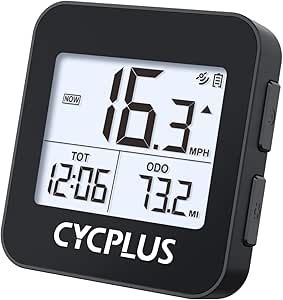 | Best for Long Battery Life | Display: 2-inch FSTN LED, backlit | Battery: 1200 mAh lithium polymer | Battery life: Rated for over 55 hours; product details also list 50 hours | VIEW LATEST PRICE | See Our Full Breakdown |
| Wahoo ELEMNT ROAM V3 GPS Cycling Computer |  | Best for Route Exploration | Display: 2.8-inch LCD touchscreen, 480 × 800 resolution | Battery life: 25 hours | Satellite systems: GPS, GLONASS, BeiDou, Galileo, QZSS, SBAS, NavIC | VIEW LATEST PRICE | See Our Full Breakdown |
| Garmin Edge 850 Compact GPS Cycling Computer |  | Best for Road, Gravel, and Trail Maps | Display: 2.7-inch LCD color touchscreen | Controls: Buttons and touchscreen | Battery life: Up to 12 hours in demanding use; up to 36 hours in battery saver mode | VIEW LATEST PRICE | See Our Full Breakdown |
| iGPSPORT BSC500 GPS Bike Computer with 3.3-Inch Touchscreen and Voice Navigation |  | Best for Voice-Guided Rerouting | Display: 3.3-inch touchscreen | Controls: Touchscreen and buttons | Positioning: Dual-band L1/L5; GPS, BeiDou, GLONASS, Galileo, and QZSS | VIEW LATEST PRICE | See Our Full Breakdown |
| Garmin Edge 550 Compact GPS Cycling Computer | | Best for Training and Connected Safety | Screen: 2.7-inch LCD, 420 x 600 resolution | Controls: Buttons; no touchscreen | Battery life: Up to 12 hours; up to 36 hours in battery saver mode | VIEW LATEST PRICE | See Our Full Breakdown |
| GEOID CC700 Pro 2.8-Inch Color Touchscreen GPS Bike Computer |  | Best for Offline Maps and Device Integration | Display: 2.8-inch TFT color touchscreen | Storage: 4 GB | Connectivity: ANT+, Bluetooth, and Wi-Fi | VIEW LATEST PRICE | See Our Full Breakdown |
| Magene C506 GPS Bike Computer with 2.4-Inch Color Touchscreen |  | Best Lightweight Value | Screen: 2.4-inch color LCD touchscreen | Weight: 76 g | Battery life: Up to 24 hours in endurance mode | VIEW LATEST PRICE | See Our Full Breakdown |
| Garmin Edge Explore 2 GPS Cycling Navigator |  | Best for Touring and eBike Navigation | Screen: 3-inch touchscreen | Battery life: Up to 16 hours | Storage: 16 GB | VIEW LATEST PRICE | See Our Full Breakdown |
| GPS bike computer | Battery life | Connectivity | Mounting | Display |
|---|---|---|---|---|
| Garmin Edge 540 GPS Cycling Co | Up to 26 hours; up to 42 hours in battery saver mode | Bluetooth, Wi-Fi, USB | Handlebar mount | — |
| iGPSPORT BiNavi Air GPS Bike C | Up to 30 hours | ANT+, Bluetooth, USB | Handlebar mount | 3-inch touchscreen, 240 × 400 resolution |
| iGPSPORT BSC300T Wireless GPS | Up to 20 hours | ANT+, Bluetooth 5.0, USB Type-C | Handlebar mount | — |
| Garmin Edge 1050 Premium Cycli | Up to 20 hours in demanding use; up to 60 hours in battery saver mode | Bluetooth, USB, Wi-Fi | Handlebar mount | — |
| Wahoo ELEMNT BOLT V3 GPS Bike | Listed as 15 hours in the description and 20 hours in product information | Bluetooth Smart, ANT+, Wi-Fi, USB-C | Handlebar mount | Color screen; listed as 2.2 inches in the description and 2.3 inches in product information |
| iGPSPORT BSC200S GPS Bike Comp | Up to 25 hours | Bluetooth, ANT+, USB | — | 2.4-inch color screen, 320 × 240 resolution |
| Garmin Edge 840 GPS Cycling Co | Up to 26 hours; up to 32 hours in battery saver mode | Bluetooth, USB, Wi-Fi | Handlebar mount | — |
| CYCPLUS G1 Wireless GPS Bike C | Rated for over 55 hours; product details also list 50 hours | — | — | 2-inch FSTN LED, backlit |
| Wahoo ELEMNT ROAM V3 GPS Cycli | 25 hours | Bluetooth, USB, Wi-Fi | — | 2.8-inch LCD touchscreen, 480 × 800 resolution |
| Garmin Edge 850 Compact GPS Cy | Up to 12 hours in demanding use; up to 36 hours in battery saver mode | Bluetooth, USB, Wi-Fi | Handlebar mount | 2.7-inch LCD color touchscreen |
| iGPSPORT BSC500 GPS Bike Compu | — | — | — | 3.3-inch touchscreen |
| Garmin Edge 550 Compact GPS Cy | Up to 12 hours; up to 36 hours in battery saver mode | Bluetooth, USB, and Wi-Fi | — | — |
| GEOID CC700 Pro 2.8-Inch Color | — | ANT+, Bluetooth, and Wi-Fi | — | 2.8-inch TFT color touchscreen |
| Magene C506 GPS Bike Computer | Up to 24 hours in endurance mode | ANT+, Bluetooth, and Wi-Fi | Handlebar mount | — |
| Garmin Edge Explore 2 GPS Cycl | Up to 16 hours | Bluetooth and Wi-Fi | — | — |
More Details on Our Top Picks
Garmin Edge 540 GPS Cycling Computer
The Edge 540 pairs a compact, button-controlled format with multi-band GNSS and detailed training guidance, making it a strong fit for riders who care more about reliable ride data than a large touchscreen. ClimbPro and course power guidance can help plan effort on hilly routes, while adaptive coaching gives structured training context when paired with compatible sensors. Compared with the Garmin Edge 1050, it is smaller and simpler, but gives up the 1050’s expansive color touchscreen, built-in speaker, and richer on-device planning. Battery life reaches 26 hours, or 42 in saver mode, which suits long rides and multi-day use. The tradeoff is that some performance insights depend on a power meter and heart-rate monitor, and button controls are less direct for map interaction than touch.
Pros:- Multi-band GNSS supports more dependable positioning on challenging routes.
- ClimbPro and course power guidance help riders manage effort on ascents.
- Battery lasts up to 26 hours, with a 42-hour saver mode.
- Button controls work without relying on touchscreen input.
Cons:- Some coaching and performance guidance needs a compatible power meter and heart-rate monitor.
- Button-only controls make map interaction less direct than on the Edge 1050.
- The 2.6-inch screen offers less map space than larger computers in the lineup.
Best for: Road cyclists who want multi-band positioning, structured training insights, and physical controls in a compact computer.
Not ideal for: Riders who want a large touchscreen for frequent map browsing or expect all training features to work without compatible sensors.
- Screen:2.6-inch LCD, 246 × 322 resolution
- Battery life:Up to 26 hours; up to 42 hours in battery saver mode
- Storage:16 GB
- Navigation:GPS and multi-band GNSS
- Controls:Buttons
- Connectivity:Bluetooth, Wi-Fi, USB
- Mounting:Handlebar mount
- Phone compatibility:Android and iPhone
Our verdict“Choose the Edge 540 if training tools, precise positioning, and long battery life matter more to you than a large touchscreen.”
iGPSPORT BiNavi Air GPS Bike Computer with 3-Inch Touchscreen and Map Navigation
The BiNavi Air is a compelling choice for riders who want touchscreen route guidance without the weight of a larger premium unit. Its 3-inch display, turn-by-turn directions, and automatic rerouting make it more map-oriented than the button-controlled Garmin Edge 540, while the 77 g body keeps the cockpit load modest. It also supports ANT+ and Bluetooth sensors, indoor training, and route simulation, so it can serve beyond outdoor navigation. The stated 30-hour battery life and IPX7 waterproof rating suit long rides in changeable weather. Compared with the iGPSPORT BSC300T, the BiNavi Air offers a larger screen and longer stated runtime, but some advanced functions depend on the iGPSPORT app. Product dimensions are also described as unusually small, so I would treat those figures cautiously.
Pros:- Three-inch touchscreen gives maps more room than the BSC300T’s 2.4-inch display.
- Turn-by-turn navigation includes automatic off-course rerouting.
- ANT+ and Bluetooth support a broad range of compatible sensors.
- Stated 30-hour battery life and IPX7 water resistance suit extended rides.
Cons:- Some advanced features rely on the iGPSPORT app.
- Listed dimensions appear unusually small and may be inaccurate.
- Touchscreen operation may be less convenient than physical buttons in wet or gloved conditions.
Best for: Riders seeking a lightweight touchscreen computer for route-led rides, sensor pairing, and occasional indoor training.
Not ideal for: Buyers who want advanced features to work independently of a phone app or need confidently verified body dimensions before choosing a mount setup.
- Display:3-inch touchscreen, 240 × 400 resolution
- Battery life:Up to 30 hours
- Weight:77 g
- Profile thickness:13.8 mm
- Controls:Buttons and touchscreen
- Connectivity:ANT+, Bluetooth, USB
- Water resistance:IPX7
- Mounting:Handlebar mount
Our verdict“Pick the BiNavi Air if you want a light, large-screen GPS computer with rerouting and broad sensor support, and are comfortable using its companion app.”
iGPSPORT BSC300T Wireless GPS Bike Computer with Touchscreen and Offline Maps
The BSC300T balances a compact 2.4-inch touchscreen with offline maps, turn prompts, and off-course warnings, making it a practical navigation-focused option for riders who do not need a large display. At 67 g, it is lighter than the BiNavi Air, and its six buttons add a physical-control alternative when touch input is awkward. Support for GPS, BeiDou, GLONASS, Galileo, and QZSS gives it broad satellite-system coverage, while ANT+ and Bluetooth connect compatible sensors, trainers, and e-bikes. More than 130 metrics and real-time tracking add depth beyond basic directions. Compared with the Garmin Edge 540, it offers offline map features in a smaller, lighter package, but its 20-hour battery ceiling is shorter and its 8 GB memory is more limited. A charging cable is not included.
Pros:- Offline maps include route previews, turn prompts, and off-course warnings.
- Six buttons complement the touchscreen for flexible control.
- Supports multiple satellite systems and ANT+ and Bluetooth accessories.
- Compact 67 g body and support for e-bikes, trainers, and power meters.
Cons:- Battery life is limited to up to 20 hours, below the Edge 540 and BiNavi Air figures.
- Charging cable is not included.
- The 2.4-inch screen gives maps less space than the BiNavi Air’s 3-inch display.
Best for: Commuters and recreational riders who want offline route guidance, multiple sensor connections, and a small, light unit.
Not ideal for: Riders taking frequent rides longer than 20 hours or buyers who expect a charging cable in the box.
- Screen:2.4-inch touchscreen
- Dimensions:82 × 53 × 14.1 mm
- Weight:67 g
- Battery life:Up to 20 hours
- Memory:8 GB
- Satellite systems:GPS, BeiDou, GLONASS, Galileo, QZSS
- Connectivity:ANT+, Bluetooth 5.0, USB Type-C
- Mounting:Handlebar mount
Our verdict“Choose the BSC300T for compact offline navigation and broad accessory support, provided its 20-hour battery life fits your rides.”
Garmin Edge 1050 Premium Cycling Computer
The Garmin Edge 1050 is the lineup’s screen-first premium pick: its 3.5-inch color touchscreen gives course planning and detailed maps substantially more room than the Edge 540’s 2.6-inch display. On-device course creation, road hazard alerts, group ride tools, and training guidance make it suited to riders who want navigation and ride coordination in one computer. A built-in speaker handles prompts and a bike bell, while Garmin Pay adds a convenience the other listed computers do not specify. Its battery reaches up to 60 hours in saver mode, though demanding use is rated at up to 20 hours. Compared with the Edge 540, the 1050 is more capable for touch-based route planning but larger and more dependent on connected services and sensors for some functions. It is a lot of computer for riders who mainly need basic tracking.
Pros:- Large 3.5-inch color touchscreen supports detailed maps and on-device course creation.
- Road hazard alerts and group ride features add useful ride coordination.
- Built-in speaker provides navigation prompts and a bike bell.
- Battery saver mode is rated for up to 60 hours.
Cons:- Demanding-use battery life is rated at up to 20 hours, well below the saver-mode figure.
- Some features need a compatible smartphone, Garmin Connect app, or additional sensors.
- The large touchscreen-focused design is less compact than the Edge 540.
Best for: Frequent route planners and group riders who want a large touchscreen, safety and communication features, and extensive on-device tools.
Not ideal for: Riders who prefer a compact, simple unit or need more than 20 hours of demanding-use battery life between charges.
- Screen:3.5-inch capacitive color LCD touchscreen
- Battery life:Up to 20 hours in demanding use; up to 60 hours in battery saver mode
- Storage:64 GB
- Navigation systems:GPS, GLONASS, Galileo
- Connectivity:Bluetooth, USB, Wi-Fi
- Audio:Built-in speaker
- Mounting:Handlebar mount
- Additional feature:Garmin Pay
Our verdict“Choose the Edge 1050 if a large map display and connected ride features justify its size and shorter demanding-use runtime.”
Wahoo ELEMNT BOLT V3 GPS Bike Computer
The Wahoo ELEMNT BOLT V3 suits riders who want navigation, configurable ride data, and connected features in a compact handlebar computer. On-device turn-by-turn directions and automatic rerouting help keep a route usable when plans change; route syncing, ride uploads, live tracking, and ANT+ radar support extend it beyond basic GPS recording. At 84 g, it stays relatively light, and its 16 GB memory provides room for routes and ride data. Compared with the Garmin Edge 540, the BOLT emphasizes customizable pages and smartphone-linked ride features, while the Edge offers stated multi-band GNSS and longer battery life. There are conflicting specifications for this model: the display is listed as both 2.2 and 2.3 inches, and battery life as 15 and 20 hours. That uncertainty, plus phone dependence for alerts and live tracking, makes it a less clear choice for long, self-contained rides.
Pros:- On-device turn-by-turn navigation includes automatic rerouting.
- Customizable data pages and a color screen support a tailored ride layout.
- ANT+ radar integration, route syncing, and ride uploads broaden its connected use.
- IPX7 water resistance and 84 g weight suit regular outdoor riding.
Cons:- Product information conflicts on screen size and battery life.
- Smartphone notifications and live tracking require a phone during the ride.
- The listed 15- to 20-hour battery range is shorter than the Edge 540’s stated maximum.
Best for: Riders who want customizable data pages, route syncing, and connected features in a lightweight computer with ANT+ radar support.
Not ideal for: Long-distance riders who need a clearly specified battery runtime or cyclists who want live tracking and notifications without a smartphone.
- Display:Color screen; listed as 2.2 inches in the description and 2.3 inches in product information
- Battery life:Listed as 15 hours in the description and 20 hours in product information
- Memory:16 GB
- Weight:84 g
- Connectivity:Bluetooth Smart, ANT+, Wi-Fi, USB-C
- Water resistance:IPX7
- Mounting:Handlebar mount
- Supported sensors:Heart rate, cadence, and speed sensors
Our verdict“Pick the BOLT V3 if you value customizable data and connected navigation in a light unit, but verify the battery specification if ride duration is a priority.”
iGPSPORT BSC200S GPS Bike Computer with Route Navigation
I’d pick the iGPSPORT BSC200S for riders who want to tailor their ride screens and follow routes without stepping up to a more feature-heavy computer. Its 100-plus customizable data fields let riders prioritize the numbers they care about, while route creation, imported routes, and back-to-start navigation cover the basics for exploring. Compared with the CYCPLUS G1, it offers much more route and sensor functionality, but the G1’s rated battery life is substantially longer. The BSC200S lasts up to 25 hours and pairs with speed, cadence, heart-rate, and power sensors, plus compatible lights and radar lights. The tradeoff is that navigation and notifications depend on a connected smartphone app, and a USB-C cable is not included. I’d skip it if I wanted a largely phone-independent navigation setup.
Pros:- More than 100 riding data fields can be arranged across customizable pages.
- Route creation, imported routes, and back-to-start navigation support a range of rides.
- Pairs with speed, cadence, heart-rate, and power sensors, as well as compatible lights and radar lights.
- Up to 25 hours of battery life and IPX7 water resistance suit long rides in varied weather.
Cons:- Navigation and smart notifications rely on a connected smartphone app.
- A USB Type-C charging cable is not included.
- Its 2.4-inch screen is smaller than the Wahoo ELEMNT ROAM V3’s 2.8-inch display.
Best for: Riders who want customizable data pages, route guidance, and support for common ANT+ or Bluetooth sensors without needing advanced training analysis.
Not ideal for: Riders who want navigation and notifications to work independently of a smartphone app, or who prioritize exceptionally long battery life over data customization.
- Display:2.4-inch color screen, 320 × 240 resolution
- Battery life:Up to 25 hours
- Battery capacity:600 mAh
- Connectivity:Bluetooth, ANT+, USB
- Compatible sensors:Speed, cadence, heart rate, and power meter
- Water resistance:IPX7
- Data storage:Up to 400 hours of riding data
- Dimensions and weight:82 × 53 × 14.1 mm; 66 g (67 g in product information)
Our verdict“Choose the BSC200S if customizable ride data and app-connected route guidance matter more to you than phone-independent navigation or the G1’s longer battery rating.”
Garmin Edge 840 GPS Cycling Computer
The Garmin Edge 840 is the most balanced choice here for riders who want navigation and training guidance in the same computer. Multi-band GNSS supports positioning in challenging surroundings, while adaptive coaching and ride insights make it more than a route display. Its touchscreen and physical buttons give riders a choice of input, a useful distinction from button-only computers such as the CYCPLUS G1. The Edge 840 also offers up to 32 hours in battery saver mode, though demanding use is rated for up to 26 hours. That endurance is strong, but it falls short of the G1’s stated runtime. Training insights can depend on compatible heart-rate and power sensors, so riders without those accessories may not use the full feature set. I’d favor it over the BSC200S when training tools and broader navigation capability carry more weight than a simpler data-focused setup.
Pros:- Multi-band GNSS supports accurate positioning for navigation.
- Touchscreen and physical buttons provide two ways to control the computer.
- Adaptive coaching and cycling performance insights add training context.
- Battery life is rated up to 32 hours in battery saver mode.
Cons:- Demanding use is rated for up to 26 hours, less than the CYCPLUS G1’s stated runtime.
- Some training features require a compatible power meter and heart-rate monitor.
- The 2.6-inch display is smaller than the Wahoo ELEMNT ROAM V3’s 2.8-inch screen.
Best for: Road and gravel riders who want detailed navigation, adaptive training guidance, and both touchscreen and button controls.
Not ideal for: Riders seeking a basic ride tracker, or those who do not plan to use compatible sensors for the Edge 840’s training features.
- Screen:2.6-inch LCD, 240 × 320 resolution
- Controls:Buttons and touchscreen
- Battery life:Up to 26 hours; up to 32 hours in battery saver mode
- Storage:32 GB
- Navigation:GPS with multi-band GNSS
- Map coverage:North America
- Connectivity:Bluetooth, USB, Wi-Fi
- Mounting:Handlebar mount
Our verdict“Choose the Edge 840 if you want one computer for serious route guidance and sensor-supported training, and will make use of its advanced features.”
CYCPLUS G1 Wireless GPS Bike Computer
For riders who mainly want ride records and fewer charging stops, the CYCPLUS G1 has a straightforward advantage: its battery is rated for over 55 hours. It tracks time, distance, mileage, and altitude on a 2-inch backlit screen, with an inactivity sleep mode that helps conserve power. Compared with the iGPSPORT BSC200S, the G1 gives up route creation, sensor support, and extensive data-page customization in exchange for a simpler setup and much longer stated runtime. It is not a navigation-focused computer: the supplied information says route tracking requires a GPS signal and does not describe turn-by-turn directions. Its IPX6 rating also differs from the BSC200S’s IPX7 protection. The listed battery claims are inconsistent, with both 50 hours and over 55 hours reported, so I would treat the longer figure as a rating rather than a guarantee.
Pros:- Battery is rated for over 55 hours of use.
- Tracks ride time, distance, total mileage, and altitude.
- Backlit 2-inch display is designed for visibility in sunlight.
- IPX6 water resistance and a two-year warranty are specified.
Cons:- Route tracking requires a GPS signal, and turn-by-turn navigation is not listed.
- The product information gives conflicting battery-life figures of 50 hours and over 55 hours.
- Offers less sensor connectivity and data customization than the iGPSPORT BSC200S.
Best for: Commuters and endurance riders who want basic GPS ride records and long time between charges without route-planning features.
Not ideal for: Riders who need mapped routes, turn-by-turn directions, or a computer that pairs with speed, cadence, heart-rate, or power sensors.
- Display:2-inch FSTN LED, backlit
- Battery:1200 mAh lithium polymer
- Battery life:Rated for over 55 hours; product details also list 50 hours
- GPS tracking:Ride time, distance, total mileage, and altitude
- Water resistance:IPX6
- Controls:Buttons
- Weight:70 g
- Warranty:Two years
Our verdict“Pick the G1 if long battery life and basic ride tracking matter more than route guidance, sensor support, or training features.”
Wahoo ELEMNT ROAM V3 GPS Cycling Computer
The Wahoo ELEMNT ROAM V3 makes the strongest case for riders who plan routes as part of the ride, not just before it. Its 2.8-inch color display, turn-by-turn directions, route imports, sharing, and route generation through the computer or companion app support both planned outings and on-the-fly changes. Dual-band GPS and a broad set of supported satellite systems are useful when tree cover or dense streets make positioning harder. Compared with the Garmin Edge 840, the ROAM V3 puts a clear emphasis on route creation and following; the Edge 840 offers more explicit adaptive coaching and training insights. The Wahoo’s 25-hour battery rating is solid but shorter than the CYCPLUS G1’s stated runtime. Product details also identify the model inconsistently as V2 and V3, so buyers should verify the exact version being offered.
Pros:- Route generation, imports, and sharing support flexible ride planning.
- Turn-by-turn directions help riders follow unfamiliar routes.
- Dual-band GPS and multiple satellite systems support positioning in difficult surroundings.
- 2.8-inch color touchscreen and button controls offer a larger interface than the iGPSPORT BSC200S.
Cons:- The 25-hour battery rating is much shorter than the CYCPLUS G1’s stated runtime.
- Product details inconsistently identify the unit as V2 and V3.
- Its listed feature set emphasizes navigation more than the Edge 840’s adaptive training guidance.
Best for: Adventure-minded road and gravel riders who want a larger color screen, route sharing, and flexible route generation.
Not ideal for: Riders focused on advanced adaptive training, or anyone who wants unambiguous product-version details before choosing a model.
- Display:2.8-inch LCD touchscreen, 480 × 800 resolution
- Battery life:25 hours
- Satellite systems:GPS, GLONASS, BeiDou, Galileo, QZSS, SBAS, NavIC
- Navigation:Dual-band GPS, turn-by-turn directions, route generation and sharing
- Route file support:GPX, TCX
- Connectivity:Bluetooth, USB, Wi-Fi
- Water resistance:IPX7
- Weight:109 g
Our verdict“Choose the ROAM V3 if route discovery, sharing, and a larger color screen are your priorities, after confirming the model version.”
Garmin Edge 850 Compact GPS Cycling Computer
The Garmin Edge 850 suits riders who want one compact computer to guide rides across road, gravel, and trail routes. Its preloaded maps cover those riding types, while a color touchscreen and physical buttons give riders two control options. Training and fueling features, cycling alerts, and a built-in speaker add prompts without requiring every glance to land on the screen. Compared with the Garmin Edge 840, the Edge 850’s standout draw is its mapped coverage across road, gravel, and trails; the Edge 840 has a longer demanding-use battery rating of up to 26 hours. The Edge 850 is rated for only up to 12 hours in demanding use, though battery saver mode extends that to 36 hours. Some features also depend on a compatible smartphone, app, or sensors, so its full value is for riders ready to build a connected setup.
Pros:- Preloaded maps cover road, gravel, and trail riding.
- Touchscreen and physical buttons offer flexible control.
- Battery saver mode is rated for up to 36 hours.
- Built-in speaker can provide workout and navigation prompts.
Cons:- Demanding-use battery life is rated for up to 12 hours, less than the Edge 840’s 26-hour rating.
- Several features require a compatible smartphone, app, or sensors.
- Its feature-rich setup may be more than riders need for basic distance and time tracking.
Best for: Multisurface cyclists who want road, gravel, and trail maps, on-device prompts, and training or fueling features in a compact computer.
Not ideal for: Riders taking long rides in demanding use without access to charging, or cyclists who want advanced features without pairing a phone, app, or sensors.
- Display:2.7-inch LCD color touchscreen
- Controls:Buttons and touchscreen
- Battery life:Up to 12 hours in demanding use; up to 36 hours in battery saver mode
- Map types:North America road, gravel, and trail maps
- Satellite navigation:GPS, GLONASS, Galileo
- Connectivity:Bluetooth, USB, Wi-Fi
- Operating system:Garmin OS
- Mounting:Handlebar mount
Our verdict“Choose the Edge 850 if you ride across road, gravel, and trails and value mapped guidance and prompts, but look elsewhere for longer demanding-use battery life.”
iGPSPORT BSC500 GPS Bike Computer with 3.3-Inch Touchscreen and Voice Navigation
The BSC500 suits riders who want a large screen and spoken route cues without relying on touch controls alone. Its 3.3-inch touchscreen plus buttons gives more room for up to 12 data points per page, while physical controls offer an alternative when riding conditions make tapping awkward. Route imports, voice turn alerts, and automatic rerouting make it more flexible when a planned ride changes than the Garmin Edge 550, whose feature set leans more toward training and connected safety. Dual-band positioning and support for five satellite systems add broad location support. The tradeoff is uncertainty: the supplied details give no battery-life figure, and they do not confirm whether the listed cadence sensor is included. I’d choose it for navigation first, not for buyers who need a clearly documented endurance spec.
Pros:- Large 3.3-inch touchscreen with buttons as an alternative control method
- Voice turn alerts and automatic rerouting support flexible route following
- Dual-band positioning and five supported satellite systems
- Imports routes from Strava, Komoot, and other sources
Cons:- Battery life is not specified in the supplied product details
- Cadence sensor inclusion is unclear
- No storage capacity is specified for maps or route files
Best for: Riders who import routes from services such as Strava or Komoot and want voice prompts, rerouting, and a large display.
Not ideal for: Long-distance riders who need a stated battery-life figure, or buyers counting on a cadence sensor being included.
- Display:3.3-inch touchscreen
- Controls:Touchscreen and buttons
- Positioning:Dual-band L1/L5; GPS, BeiDou, GLONASS, Galileo, and QZSS
- Route features:Route imports, turn reminders, automatic rerouting, and ride resumption
- Water resistance:IPX7
- Weight:107 g
- Battery:Lithium-ion; runtime not specified
Our verdict“Choose the BSC500 if voice-guided route following and a spacious screen matter more to you than a documented battery runtime.”
Garmin Edge 550 Compact GPS Cycling Computer
The Edge 550 is the strongest fit here for riders who want a compact computer to support training as well as navigation. Its preloaded road, gravel, and trail maps cover varied riding without making route finding the only reason to buy it; fueling alerts and performance features give structured rides more context. Compared with the Garmin Edge Explore 2, the 550 puts more emphasis on training, while the Explore 2 offers a larger touchscreen and a more navigation-centered setup. The 550’s button-only controls keep operation physical, but riders who prefer tapping a map may find the 2.7-inch screen restrictive. Battery life is listed at up to 12 hours normally and 36 hours in saver mode. Some connected and training functions depend on a phone, app, or compatible sensors.
Pros:- Preloaded maps cover road, gravel, and trail riding
- Battery life reaches up to 36 hours in saver mode
- Training features and fueling alerts support structured rides
- Smartphone connectivity adds live location sharing, incident alerts, and group ride messaging
Cons:- Button-only input may feel less direct for map interaction than touchscreen models
- Some features require a compatible smartphone and app
- Some training features require a compatible power meter and heart rate monitor
Best for: Road, gravel, and trail riders who want training tools, fueling alerts, and smartphone-linked safety features in a compact unit.
Not ideal for: Riders who want touchscreen map interaction, or who do not own the compatible sensors required by some training functions.
- Screen:2.7-inch LCD, 420 x 600 resolution
- Controls:Buttons; no touchscreen
- Battery life:Up to 12 hours; up to 36 hours in battery saver mode
- Storage:32 GB
- Connectivity:Bluetooth, USB, and Wi-Fi
- Satellite systems:GLONASS, GPS, and Galileo
- Maps:Preloaded North America maps for road, gravel, and trail riding
Our verdict“Pick the Edge 550 if training data and connected ride safety matter more than touchscreen convenience.”
GEOID CC700 Pro 2.8-Inch Color Touchscreen GPS Bike Computer
The CC700 Pro stands out for riders who want offline maps on a color touchscreen and extra connections beyond basic ride tracking. Its turn prompts with offline maps can help keep a route visible when a phone connection is unavailable, while ANT+, Bluetooth, and Wi-Fi provide broad links to cycling gear and syncing. It also supports indoor smart-trainer workouts and controls for compatible DJI Action 4 and Action 5 Pro cameras, features that separate it from the navigation-focused Garmin Edge Explore 2. There is a key limit: automatic rerouting requires a connection to the designated app, so it is not fully independent when a route changes. Fast positioning also depends on keeping AGNSS data synced, which the supplied details say is valid for 14 days.
Pros:- Color touchscreen with offline maps and turn prompts
- ANT+, Bluetooth, and Wi-Fi support a broad range of connections
- Supports indoor smart-trainer workouts
- Can control compatible DJI Action 4 and Action 5 Pro cameras
Cons:- Automatic rerouting requires a connection to the designated app
- AGNSS data needs syncing every 14 days for the stated fast positioning
- At 0.22 kg, it is heavier than the 76 g Magene C506
Best for: Riders who want offline map guidance plus connections to sensors, smart trainers, and compatible DJI action cameras.
Not ideal for: Riders who expect automatic rerouting to work without the designated app connection or prefer a device with fewer syncing dependencies.
- Display:2.8-inch TFT color touchscreen
- Storage:4 GB
- Connectivity:ANT+, Bluetooth, and Wi-Fi
- Satellite systems:GPS, BeiDou, GLONASS, QZSS, and Galileo
- Water resistance:IPX7
- Weight:0.22 kg
- Included components:Bike computer, stem mount, replacement stem mount, tempered glass screen protector, and Type-C cable
Our verdict“Choose the CC700 Pro if offline maps and device integration are priorities and you are comfortable maintaining its app connection for rerouting.”
Magene C506 GPS Bike Computer with 2.4-Inch Color Touchscreen
At 76 g, the C506 is the lightest pick in this group with a stated battery runtime, making it a good match for riders who want navigation and sensor support without adding much handlebar weight. Its 2.4-inch color touchscreen is smaller than the BSC500’s 3.3-inch display, so riders who prioritize a large, easy-to-read map should look at the iGPSPORT instead. The Magene counters with up to 24 hours in endurance mode and compatibility with a wide range of equipment, from heart rate monitors and power meters to radar, smart trainers, and electronic shifting. Turn-by-turn directions use downloadable maps, while ride analysis runs through the OnelapFit app. That app dependency may not suit buyers who want a more self-contained setup, and the smaller screen gives less room for map details.
Pros:- Lightweight 76 g design
- Up to 24 hours of battery life in endurance mode
- Turn-by-turn navigation with downloadable maps
- Supports a wide range of cycling sensors and devices
Cons:- The 2.4-inch screen is smaller than the BSC500’s 3.3-inch display
- Some features rely on the OnelapFit app
- No supplied detail confirms a built-in rerouting feature
Best for: Weight-conscious riders who want a compact touchscreen computer that can connect to sensors, radar, trainers, and electronic shifting.
Not ideal for: Riders who want a large map display or prefer route and training features that do not depend on a companion app.
- Screen:2.4-inch color LCD touchscreen
- Weight:76 g
- Battery life:Up to 24 hours in endurance mode
- Connectivity:ANT+, Bluetooth, and Wi-Fi
- Navigation:GPS with downloadable maps and turn-by-turn directions
- Mounting:Handlebar mount
- Compatible devices:Speed and cadence sensors, heart rate monitors, power meters, smart trainers, radar and smart tail lights, and electronic shifting systems
Our verdict“Pick the C506 if low weight, long stated runtime, and broad sensor compatibility matter more than a roomy map screen.”
Garmin Edge Explore 2 GPS Cycling Navigator
The Edge Explore 2 is a practical choice for riders who put clear navigation ahead of training analysis. Its 3-inch touchscreen, bike-specific maps, and turn-by-turn directions make it a more map-centered option than the button-controlled Garmin Edge 550. Preloaded profiles for road, off-road, and indoor rides also suit cyclists who switch activities, while eBike guidance gives it a distinct role among these picks. Battery life is listed at up to 16 hours, shorter than the Edge 550’s maximum of 36 hours in saver mode, so riders planning very long outings should compare runtimes carefully. Heart rate and other sensors are sold separately, and some safety features need a paired smartphone and network coverage. This is a navigator first, not a bundled training setup.
Pros:- 3-inch touchscreen with bike-specific maps and turn-by-turn navigation
- Preloaded road, off-road, and indoor activity profiles
- eBike guidance adds useful support for compatible rides
- Supports smartphone notifications and incident detection
Cons:- Up to 16 hours of battery life is less than the Edge 550’s 36-hour saver-mode figure
- Heart rate and other sensors are sold separately
- Some safety features require a paired smartphone and network coverage
Best for: Touring cyclists and eBike riders who want a large touchscreen, bike-specific maps, and turn-by-turn guidance.
Not ideal for: Training-focused riders who need extensive sensor data out of the box, or cyclists who need the longest stated battery runtime.
- Screen:3-inch touchscreen
- Battery life:Up to 16 hours
- Storage:16 GB
- Connectivity:Bluetooth and Wi-Fi
- Navigation:GPS with bike-specific maps and turn-by-turn directions
- Maps:North America
- Activity profiles:Road, off-road, and indoor
Our verdict“Choose the Edge Explore 2 if straightforward touchscreen navigation and eBike guidance matter more than advanced training tools or maximum runtime.”
How We Picked
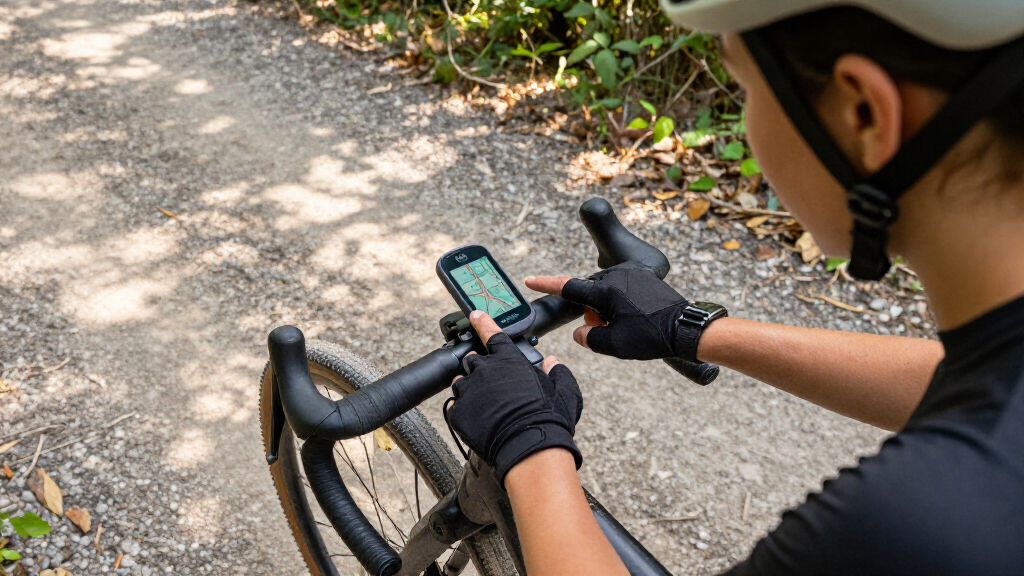
I ranked these computers by how well their features match real ride needs: reliable GPS ride recording, route guidance, readable displays, practical controls, battery expectations, and compatibility with common sensors and cycling setups. I also weighed setup and everyday usability, since an advanced device is less useful if its menus or route handling get in the way of riding.
The order reflects the balance of capability, ease of use, and audience fit rather than a single specification. Models with useful navigation and controls for a wide range of riders rank ahead of devices aimed at narrower needs. Premium displays and deep training features earn their place when they offer a clear benefit, while simpler and more affordable-style options are judged on whether their essential functions meet the needs of riders who do not need an elaborate ecosystem.
Factors to Consider When Choosing Best GPS Bike Computers
Before choosing a computer, I would start with how you ride and what you want the device to do once you leave home. The right choice depends less on the longest feature list than on whether you need dependable route guidance, structured training, or a clear record of everyday rides.
Choose Navigation Depth Before Screen Size
A large color screen can make a route easier to read, but it does not automatically mean the device offers the navigation you need. Decide whether you mainly follow a prepared course, need maps for unfamiliar roads, or want to explore and reroute during a ride. These are different jobs, and route planning or map detail can matter more than display size. Riders who mostly repeat familiar loops may not benefit from paying for elaborate mapping tools. A common mistake is buying for the occasional touring trip while overlooking how the device will feel on regular rides. Match navigation capability to how often you ride somewhere new.
Pick Controls You Can Use While Riding
Touchscreens can make panning maps and changing settings feel familiar, while physical buttons can be easier to operate with gloves or in wet conditions. Some devices combine both, giving riders another way to control the unit when touch input is inconvenient. Think about your usual weather, gloves, and how often you expect to interact with the screen mid-ride. A touchscreen that looks appealing indoors can become frustrating if you need to make frequent adjustments on rough roads. Conversely, button-only controls may feel less direct when browsing maps. Choose around the interactions you will actually make, not just the display style.
Separate Training Features From Ride Recording
Nearly every GPS computer can record a ride, but training-focused functions add value only if you plan to use them. Structured workouts, training metrics, and connections to sensors can help riders following a plan or reviewing progress. Casual cyclists may prefer simple fields for time, distance, speed, and navigation rather than more data to configure. Before paying for advanced training tools, check which sensors you already own and whether they can connect to the computer. Another common misstep is assuming that a feature-rich head unit will improve training without a consistent plan. Buy for the routines you follow, not the ones you might start someday.
Check Battery Needs Against Your Longest Ride
Battery claims are most useful when compared with your own ride length and habits. Navigation, screen brightness, connected sensors, and frequent screen use can all affect how long a device lasts between charges. A rider doing short daily commutes has different needs from someone spending a full day on remote roads. Think about whether you can recharge between rides and whether you want a margin for detours or longer days. Do not choose solely from a headline runtime without checking how the figure was measured. For long rides, practical charging access and battery reserve can matter as much as the listed capacity.
Account for Mounts, Sensors, and Software
A bike computer is part of a system, so check how it fits your existing mounts, heart-rate monitor, power meter, cadence sensor, and phone. Compatibility can save you from replacing working gear or buying adapters. Also consider how each brand handles ride syncing, route transfers, and data presentation in its app or connected services. A device that records the right information but makes it awkward to get routes onto the screen may not suit your routine. Riders who change brands should look beyond the head unit and review the setup they will need around it. This is especially useful when comparing a standalone budget-focused computer with a more developed cycling ecosystem.
Pay for the Features You Will Use Often
Premium models can offer larger displays, broader navigation, and more training functions, but extra capability is not automatically a better fit. List the features you expect to use every week and treat occasional conveniences as secondary. If clear mapping is central to your rides, a larger display may justify a more advanced unit; if you mainly want ride data, a compact model can keep the setup simpler. Consider how often you will use touch controls, route exploration, or advanced metrics rather than treating every specification as equally valuable. The biggest buying mistake is paying for complexity that stays unused. A sensible choice is the one that covers your regular needs with room for the kinds of rides you actually plan.
Frequently Asked Questions
Is the Garmin Edge 840 a better choice than the Edge 540 for most riders?
The Edge 840 makes more sense if you want touchscreen interaction alongside physical buttons and expect to use its broader navigation and training features. The Edge 540 is a stronger fit for riders who prefer button-led controls and want a compact computer without prioritizing touchscreen use. Both sit in Garmin’s training-oriented Edge family, so the choice is about how you interact with the device and which functions you will use. If you mostly record familiar rides, the 540 may be enough. Choose the 840 when its added flexibility will make route handling or everyday use easier.
Should I choose the Wahoo ELEMNT BOLT V3 or ROAM V3?
Start with how much display space you want while following a route. The BOLT V3 is the more compact option, which can suit riders who want a smaller cockpit setup, while the ROAM V3 is aimed at those who prefer a larger-format navigation experience. Neither choice is automatically better for every rider, and a bigger screen can mean a different fit on a crowded handlebar. Check how you plan routes and how much map detail you need to see at a glance. For frequent unfamiliar rides, prioritize the screen and navigation setup you can read comfortably while moving.
Do I need a touchscreen GPS bike computer?
No. A touchscreen is helpful for interacting with maps and menus, but physical buttons can be more dependable when you wear gloves or ride in wet weather. Some models, including the Edge 840, offer both control styles, reducing the need to choose one exclusively. If you rarely change settings during a ride, button controls may be all you need. Think about the moments when you will actually use the screen: checking a turn, browsing a map, or adjusting data fields. Your riding conditions and habits matter more than the presence of touch input alone.
Are less expensive-style GPS computers suitable for route navigation?
They can be, but route guidance varies by model, so do not assume that GPS tracking means full mapping or easy rerouting. Several iGPSPORT models, along with the Magene C506 and GEOID CC700 Pro, offer navigation-oriented features, while simpler computers may focus more on recording ride data. Check whether the specific device supports the kind of routes you use and how routes get transferred to it. For familiar roads, basic guidance may be enough; for touring or frequent detours, map detail and route handling deserve more attention. Compare the workflow as well as the feature name.
Which GPS bike computer should I choose if I mainly want simple ride tracking?
Look for a computer that clearly records the ride data you need and does not make you pay for navigation or training functions you will rarely touch. The CYCPLUS G1, iGPSPORT BSC200S, and compact Garmin options address simpler or more focused setups in different ways, so compare their controls, display, and route support before deciding. If you also want straightforward turn guidance, the Edge Explore 2 is more navigation-focused than a training-first Edge model. Make a short list of the data fields you check regularly and the routes you follow. That keeps you from choosing a unit whose extra tools add setup work without improving your rides.
Conclusion
For the broadest balance of controls, navigation, and training capability, I would choose the Garmin Edge 840 as the best overall. Riders seeking a more accessible feature set for core route guidance should compare the iGPSPORT BSC300T or BSC200S as value-minded options, choosing based on whether a touchscreen and offline maps matter to their rides. The Garmin Edge 1050 is my best premium pick for cyclists who will use its larger, feature-rich format; it is more computer than many riders need. For beginners, the Wahoo ELEMNT BOLT V3 offers a compact alternative with a clear focus on ride guidance, while the Garmin Edge Explore 2 is the specific pick for riders who care more about navigation than training metrics. If your priority is a smaller, button-led Garmin, compare the Edge 540 and 550 before paying for extra interaction features.
Fall Picks
fall essentials
As an affiliate, we earn on qualifying purchases.