
To manage battery life in bike electronics, you should optimize device settings by dimming screens, disabling unnecessary notifications, and enabling power-saving modes. Monitor your usage patterns, such as GPS or tracking features, to avoid unnecessary drain, and keep your device within recommended temperature ranges. Carry portable chargers for extended rides and maintain proper charging habits by avoiding full drains. If you stay mindful of these tips, you’ll enjoy longer device performance—there’s more to discover for even better results.

Get sports gear delivered free with Prime
- Fast, free delivery on millions of items
- Prime Video, Amazon Music and more included
- Member-only deals all year
Key Takeaways
- Adjust device settings by dimming screens and disabling non-essential notifications to conserve power.
- Use power-saving modes during long rides or low battery situations.
- Plan routes and usage to minimize GPS and sensor activation, reducing energy consumption.
- Maintain batteries between 20% and 80% for optimal longevity and performance.
- Store devices within recommended temperature ranges and avoid extreme heat or cold exposure.
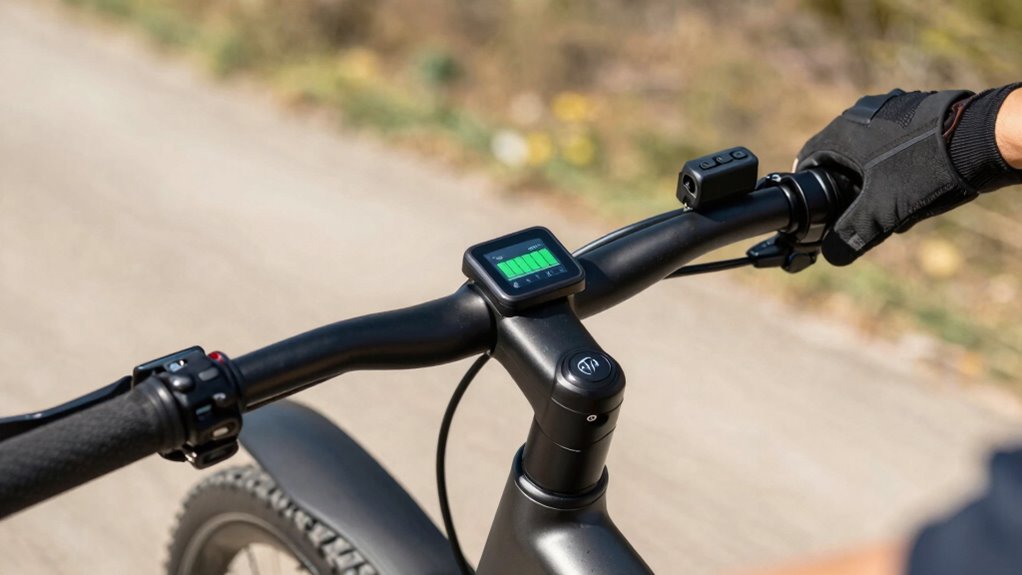
Managing battery life in bike electronics is essential to guarantee your devices stay powered throughout your rides. Whether you’re using a GPS, heart rate monitor, or e-bike system, understanding how to maximize battery capacity and implement power optimization strategies can make a meaningful difference in your ride experience. The first step is to know your device’s battery capacity. Battery capacity, typically measured in milliamp-hours (mAh) or watt-hours (Wh), determines how long your electronics will last before needing a recharge. Familiarize yourself with your device’s specifications and keep an eye on usage patterns. For example, if your GPS consumes a lot of power, plan shorter routes or alternate between active and passive tracking modes to conserve energy.
Power optimization plays a vital role in extending your device’s battery life. Many bike electronics have settings that allow you to reduce power consumption without sacrificing essential functions. Dimming screens or disabling non-essential notifications can greatly save energy. Additionally, many devices offer power-saving modes or low-power settings—activate these when your battery starts to run low or when you anticipate a long ride without easy access to charging. Adjusting device settings is often the easiest way to optimize power usage, so take a few moments before each ride to customize these options based on your needs. Being aware of your device’s battery management features can further help in fine-tuning power usage. Also, understanding the battery capacity of your devices can help you plan your rides more effectively, especially on longer trips. Knowing your device’s battery health can help you identify when it’s time for a replacement to maintain optimal performance.
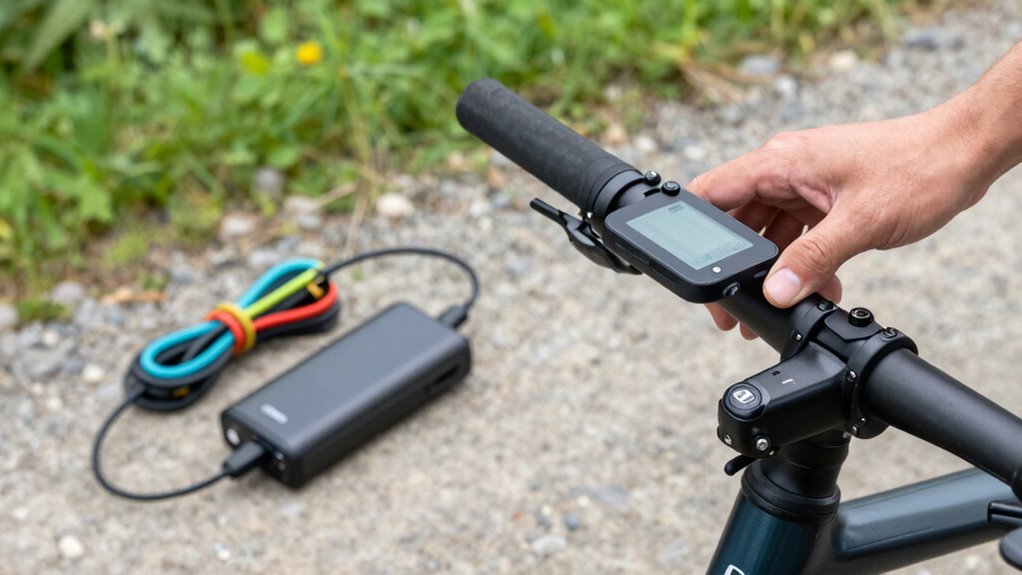
Another effective method to manage battery life involves charging practices. Avoid letting your battery fully drain regularly, as this can degrade capacity over time. Instead, aim to keep your battery charge between 20% and 80%. This not only prolongs the overall lifespan of your battery but also ensures you’re always ready for long rides. When possible, carry portable chargers or power banks designed for your device, especially on extended trips. Keeping your electronics charged beforehand and recharging during breaks can prevent unexpected shutdowns mid-ride.
Additionally, managing your device’s temperature is critical. Extreme heat or cold can impair battery performance and reduce capacity. Store and operate your electronics within recommended temperature ranges. If you’re riding in cold weather, keep your device warm in your pocket when not in use, and avoid exposing it to direct sunlight or freezing conditions for extended periods. Proper device maintenance and awareness of environmental factors can significantly enhance battery longevity. Regularly inspecting your device for signs of wear or damage can also help maintain its efficiency over time.
bike electronics portable charger
As an affiliate, we earn on qualifying purchases.
As an affiliate, we earn on qualifying purchases.
Frequently Asked Questions
How Often Should I Replace My Bike Electronics’ Batteries?
You should replace your bike electronics’ batteries when they no longer hold a charge or show significant performance decline, usually every 2-3 years. To extend their lifespan, adopt good charging habits and practice proper battery recycling. Keep an eye on battery capacity, and don’t delay replacing them when necessary. Regular maintenance and responsible disposal help guarantee safety, efficiency, and support environmental sustainability.
Are There Specific Brands Known for Longer Battery Life?
Some brands are known for longer battery life thanks to their strong reputation for quality and battery longevity. Brands like Garmin, Wahoo, and Lezyne often stand out because they focus on durable batteries and innovative power management. When choosing bike electronics, consider these brands for better longevity, and always check user reviews to guarantee the product maintains its battery life over time.
Can External Power Banks Extend My Bike Electronics’ Usage?
Yes, external power banks can extend your bike electronics’ usage if they’re compatible with your device. Check for power bank compatibility to guarantee a proper fit and sufficient capacity. External charging options like portable power banks allow you to recharge on the go, boosting your device’s battery life during long rides. Just make sure to select a power bank with the right connectors and enough capacity to meet your needs.
How Does Temperature Affect Battery Performance in Bikes?
Battery temperature considerably impacts your bike electronics’ performance stability. When the temperature is too high or low, it can cause the battery to drain faster or deliver inconsistent power. Extreme heat accelerates chemical reactions, reducing battery life, while cold temperatures slow down ion movement, decreasing efficiency. To maintain ideal performance, keep your battery within a moderate temperature range, avoiding prolonged exposure to harsh conditions that can compromise its longevity and reliability.
What Are the Signs Indicating a Battery Needs Replacement?
You’ll notice your battery struggles to hold a charge or the bike’s performance dims, which are signs it needs replacing. Battery age and poor charging habits accelerate wear, leading to decreased efficiency. Don’t ignore these signs — a failing battery can leave you stranded. Replacing it guarantees reliable rides and peace of mind. Stay alert to these cues, and upgrade when necessary to keep your bike powered and ready.
Conclusion
So, next time your bike electronics die just when you’re about to conquer that hill, remember all those tips. Because clearly, managing battery life is as easy as flipping a switch, right? Who knew that keeping your gadgets alive could be so simple, yet so often overlooked? Just a little care and attention, and you’ll be riding smooth without the dreaded “battery dead” surprise. After all, what’s more ironic than a high-tech bike with a dead battery?
Halloween Picks
halloween
As an affiliate, we earn on qualifying purchases.